Viewer count
Show how many people are watching the live broadcast right now. Place the count in a corner of the scene to keep it visible as people arrive or leave.

Open Aurix to catch up with a creator and the first thing you need is a familiar thumbnail. Open Studio after publishing and it might be a number, a comment, or a setting. The redesign starts with what you came to do.
On the viewing side, artwork carries more of the navigation. A row of covers says games. A row of tall frames says Scrolls. On the creator side, the opposite choice often works better. A line of aligned visibility settings can tell you more about a library of uploads than another large set of thumbnails. We kept the dark surfaces and used spacing, type and a restrained pink accent to suit each job.
The comparisons below use captures from the earlier site and the Reborn design. Pick a page, then drag the divider to line up the same part of each screen. You can also focus the divider and use the arrow keys, or choose Enlarge for a closer look.
Home is personal. Explore follows interests across Aurix. Search is for the moment when you already have a name in mind. Each now gives its first row to a different kind of discovery.
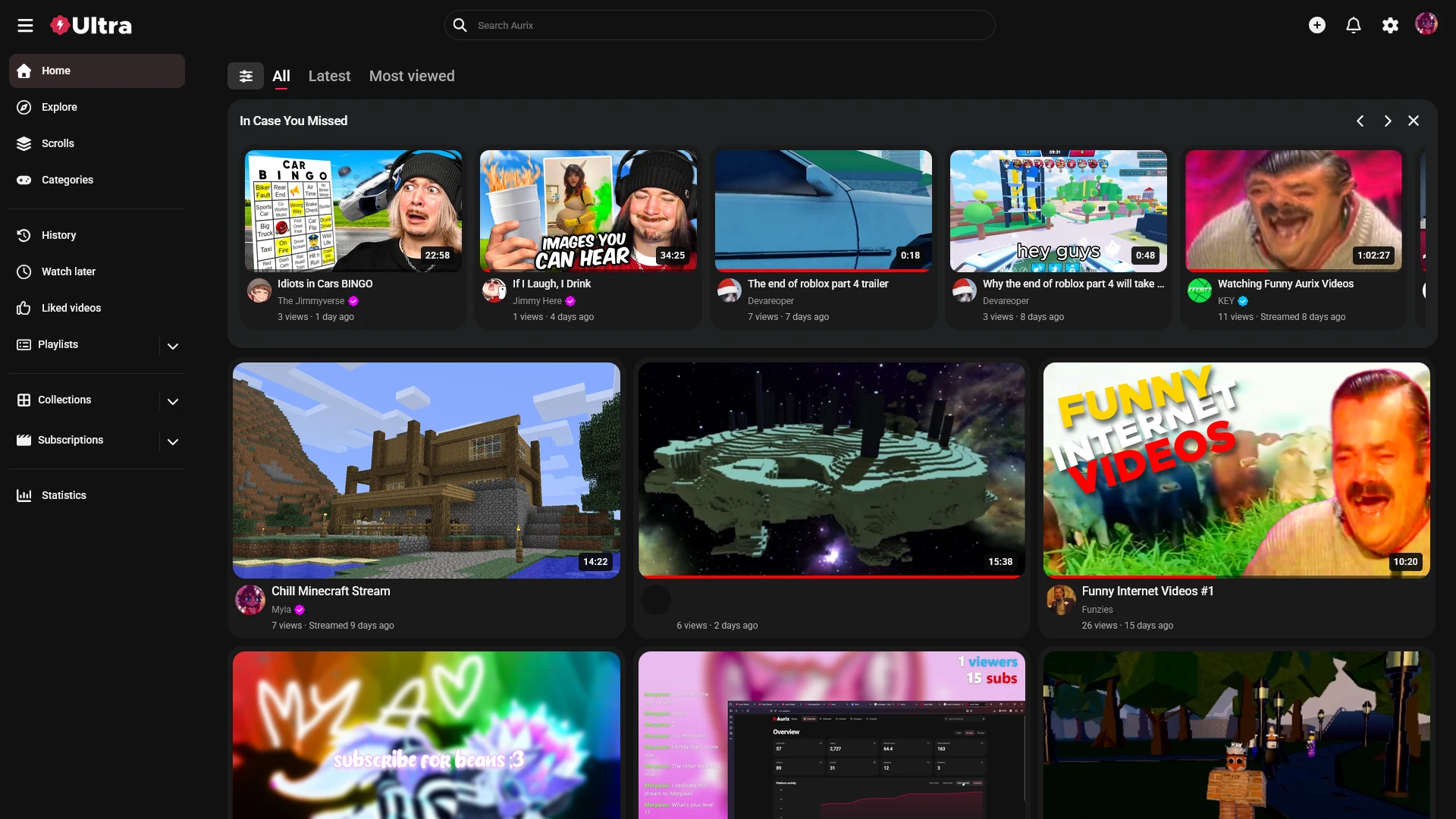
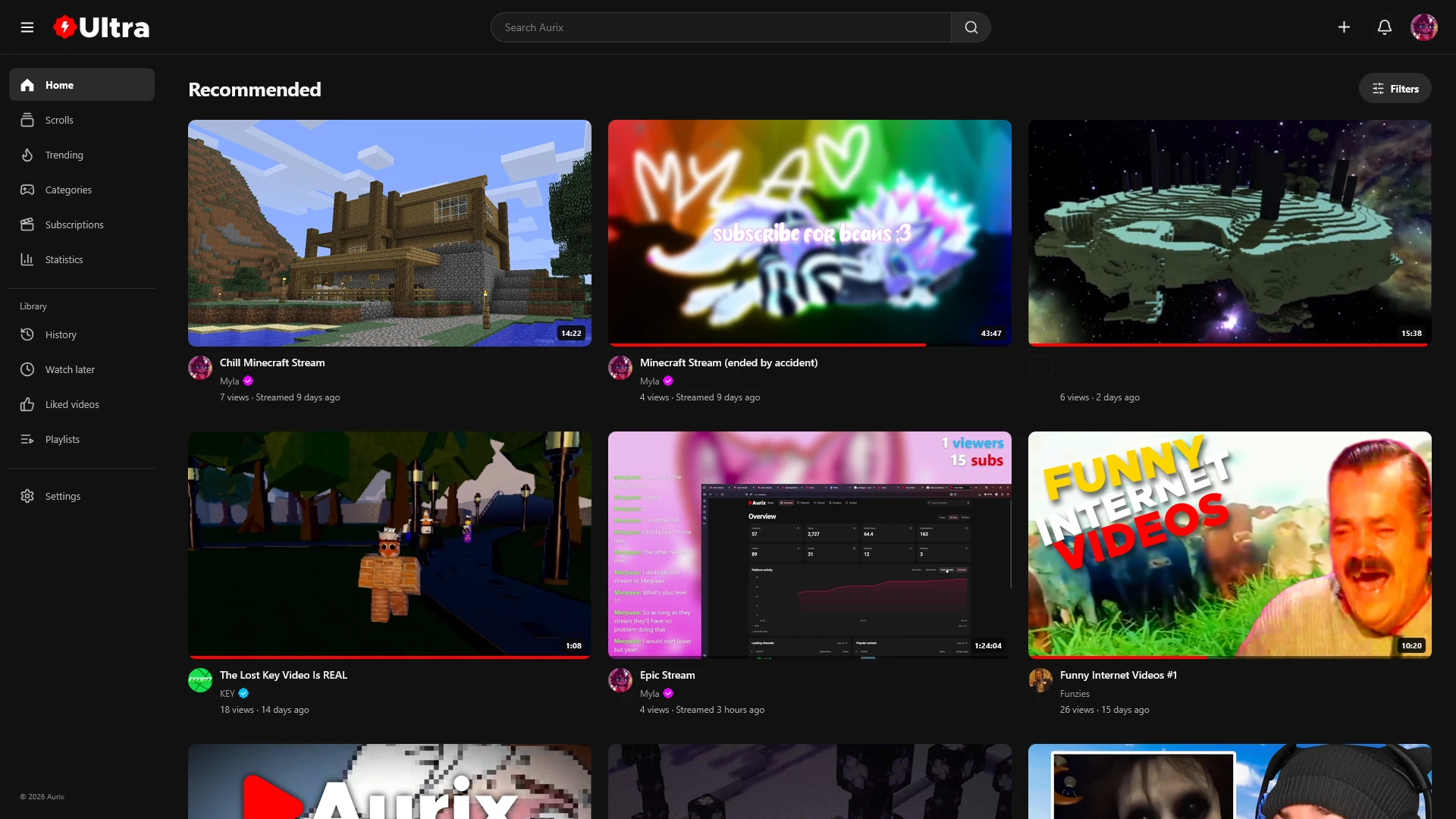
Opening Home can mean two things. You might be looking for a particular creator’s latest upload, or you might have ten minutes and need an idea. In Case You Missed gives the first visit a clear starting point. It brings together up to eight recent uploads from channels you follow, from the past 30 days.
Look at the line where the two screenshots meet. The row of smaller thumbnails sits above the larger recommendations. You can move along the row, dismiss it, or head straight into the feed. Keeping those choices close lets you catch up without committing the rest of your visit to the same channels.
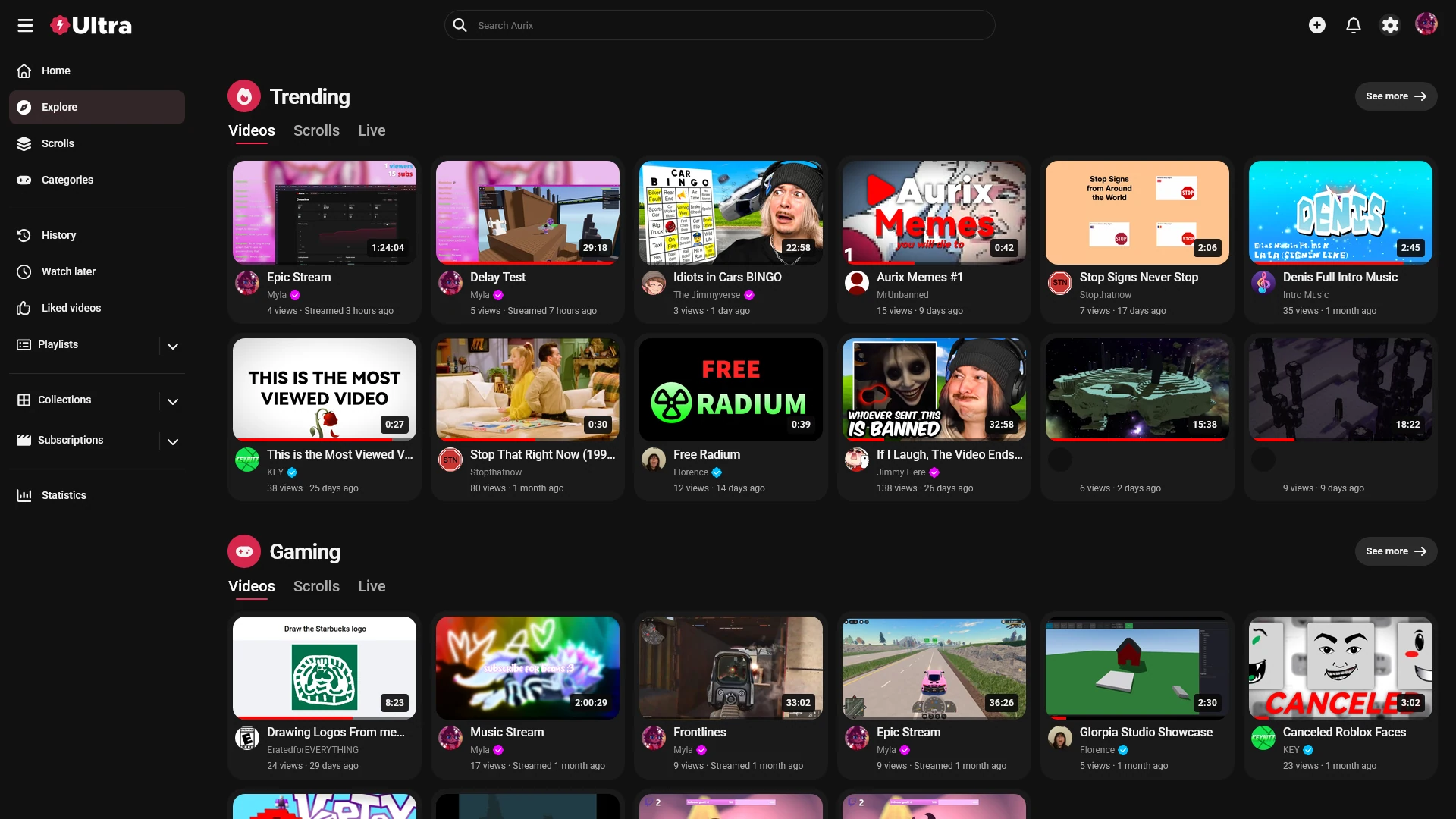
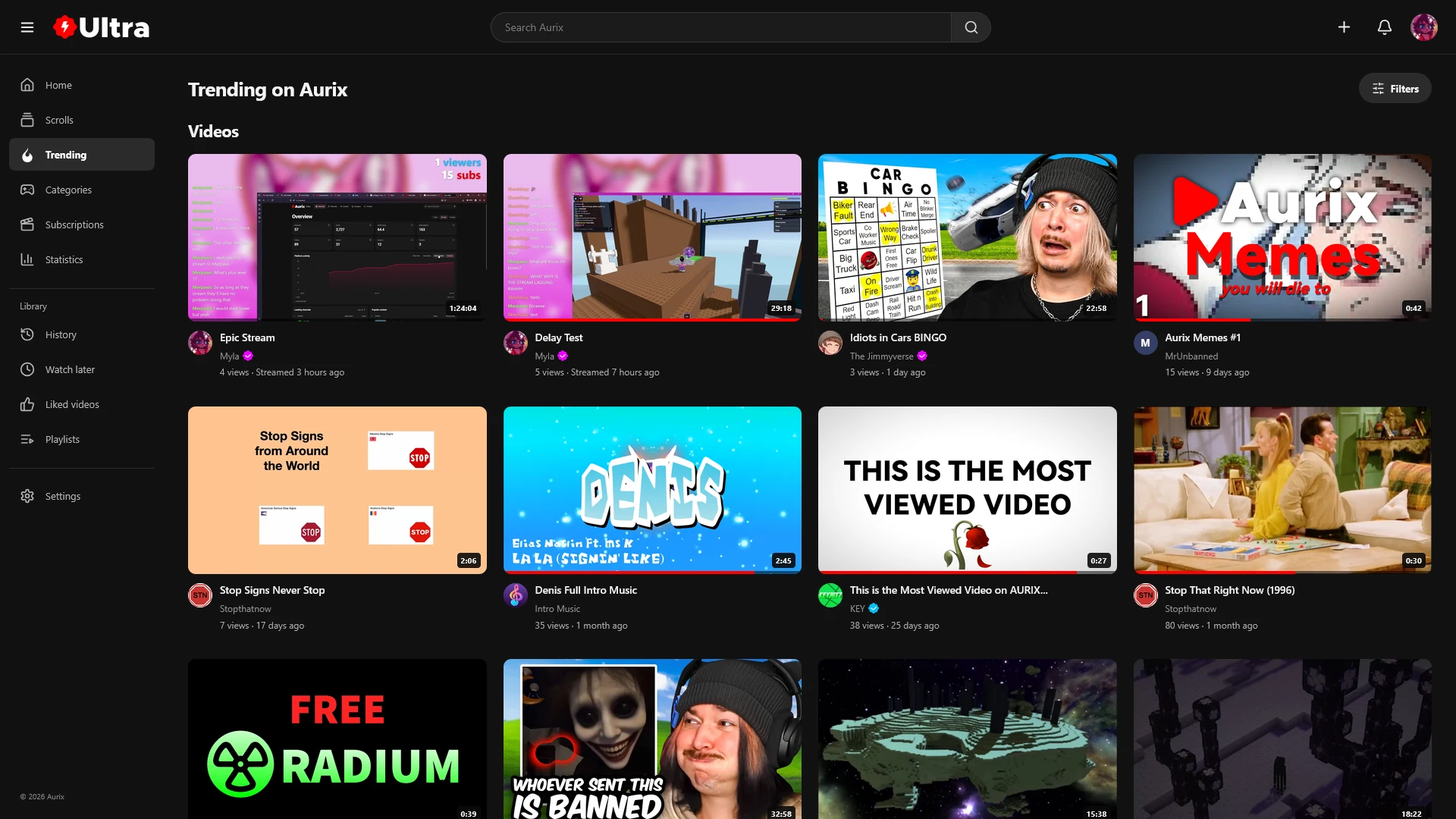
The earlier Trending page answered one question well. It showed which videos were popular. Explore also gives you somewhere to go when you know the subject you want. Trending, Gaming, Music, Entertainment and Comedy each have a place, with more topics further down the page.
In the Reborn screenshot, Gaming begins while Trending is still in view. Each section offers Videos, Scrolls and Live. You can sample a couple of rows, move on to another interest, or use See more to spend time with one topic. The coloured topic icons help you find your place again as you scroll.
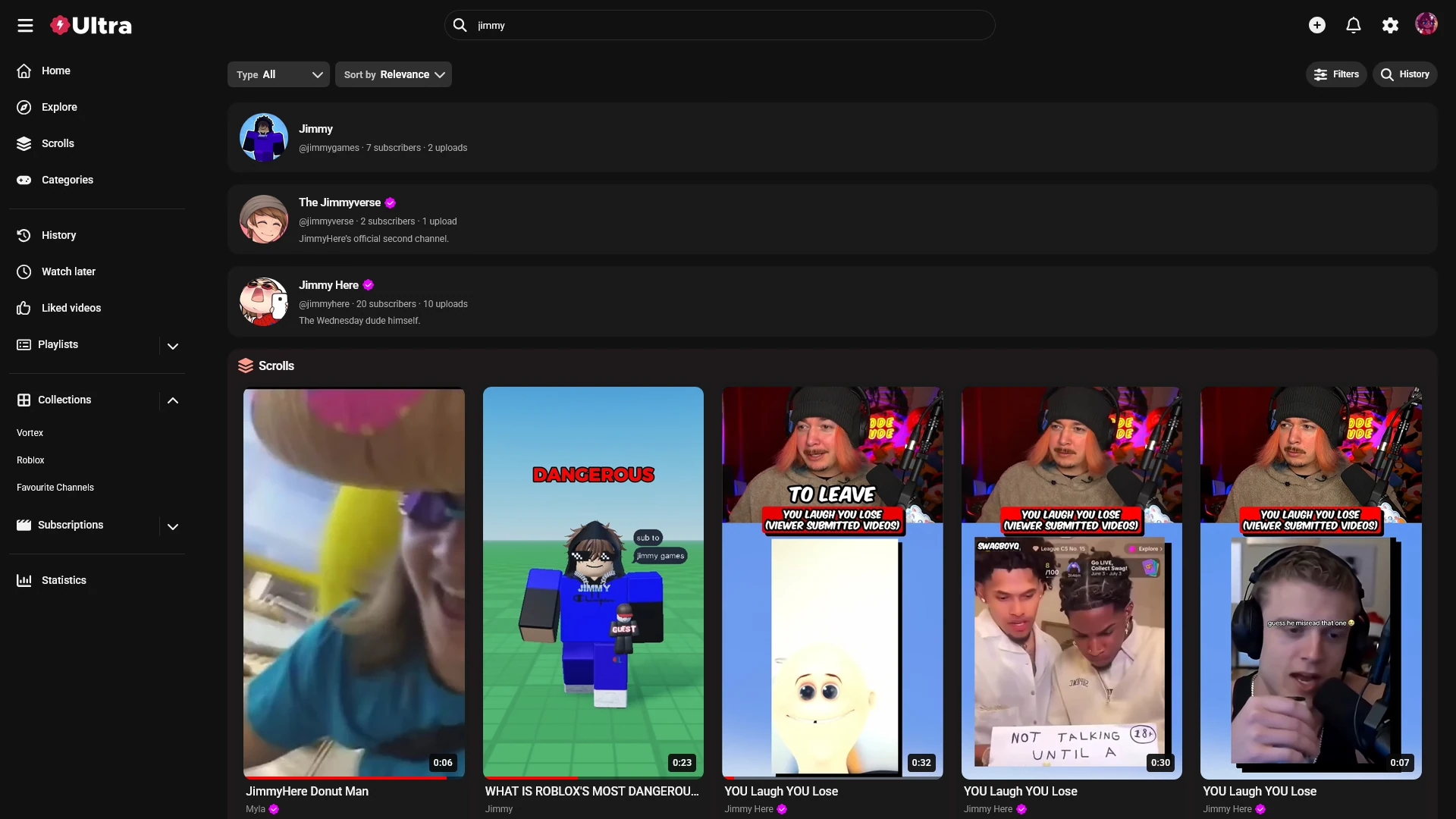
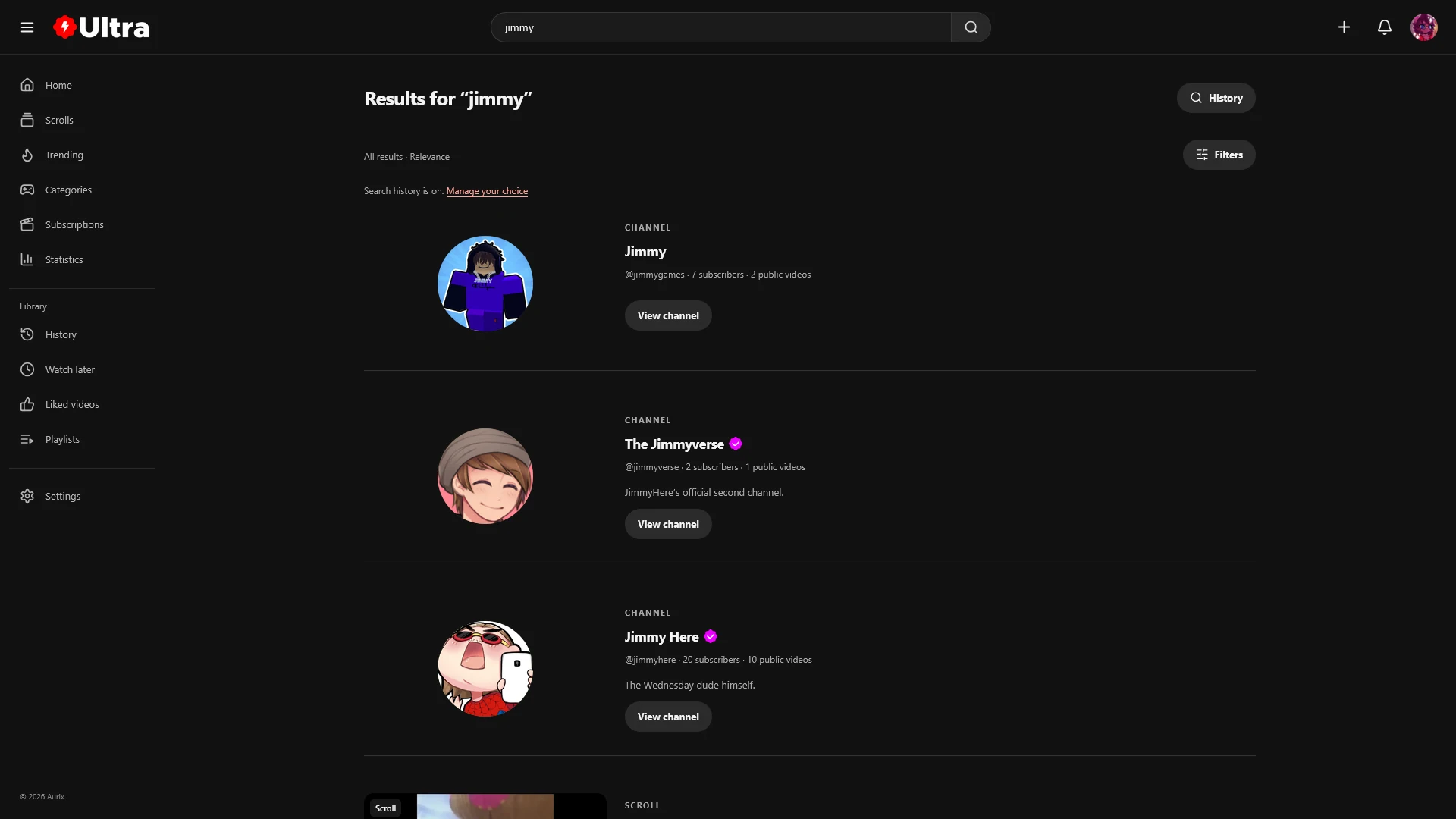
Try the same search on both sides of the slider. In the earlier capture, three channels take up almost the whole screen. In Reborn you can read the channel names and handles together, then see the Scrolls that also matched the query. Their portrait thumbnails make the change of format easy to spot.
That difference matters when a name belongs to both a channel and a video you remember. You can check which result looks familiar before opening it. Filters stay near the results, and more results load as you continue down the list.
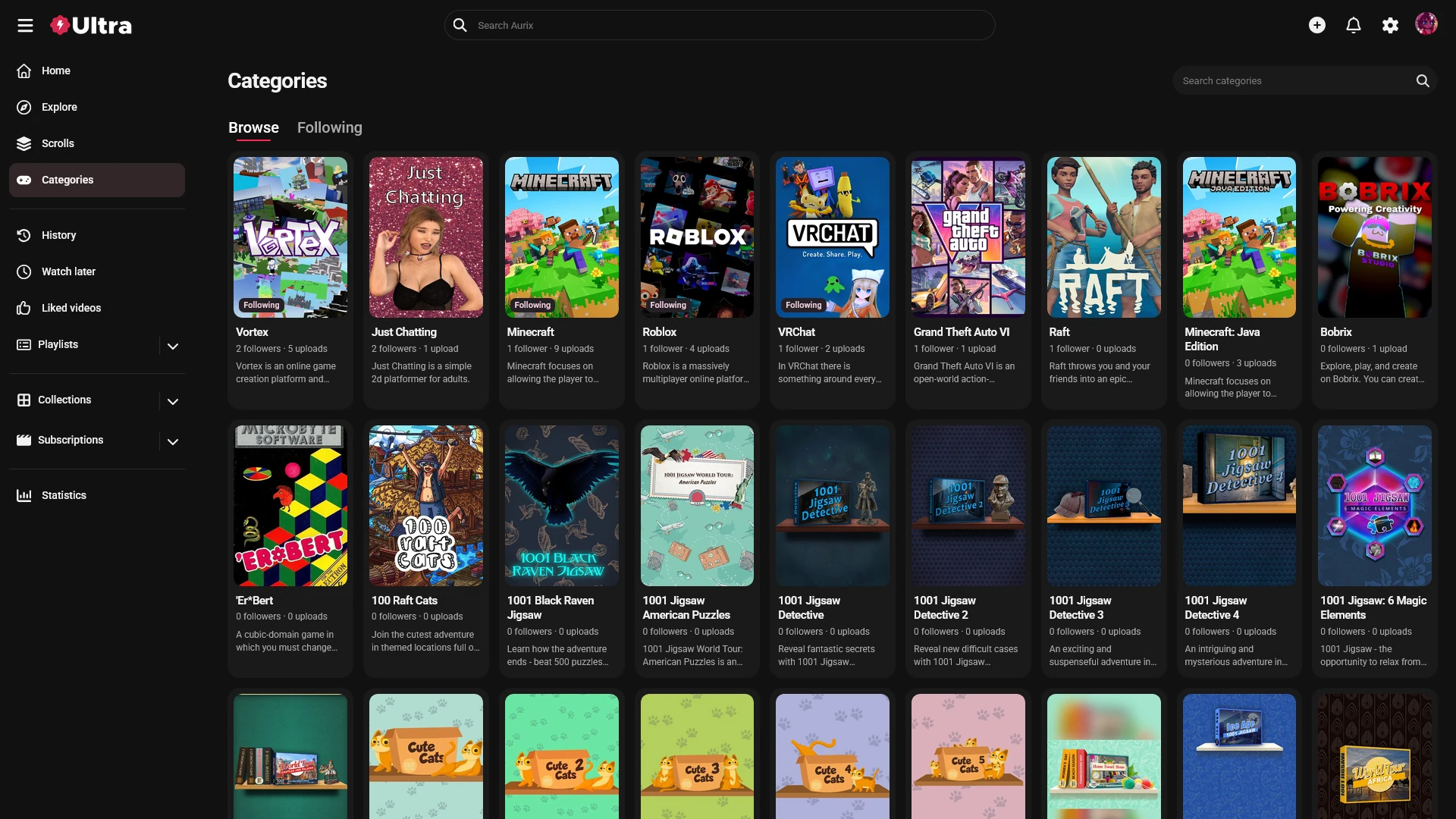
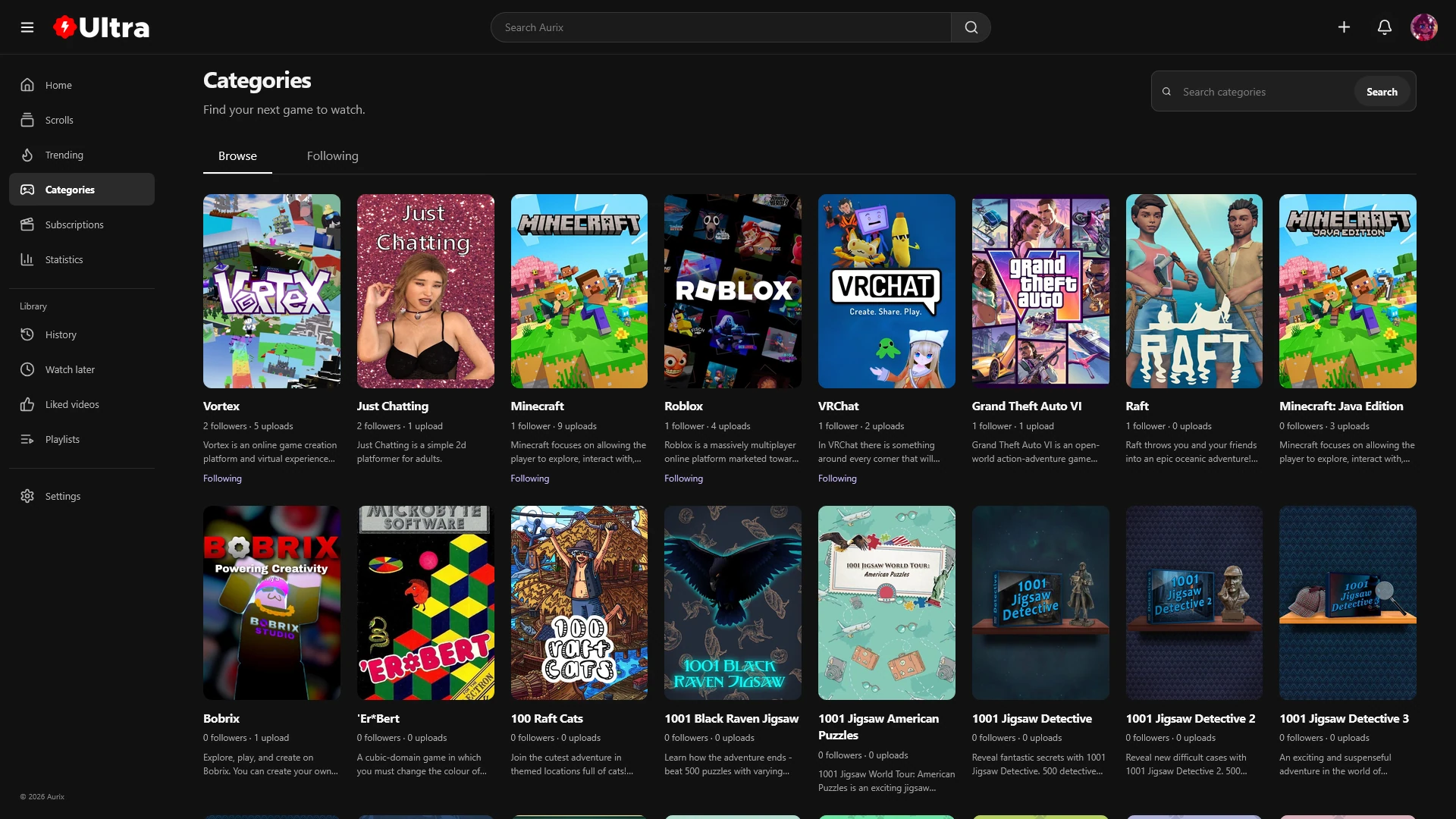
Game covers do much of the work in Categories. The new grid gives each cover a consistent shape and brings its title and description close beneath it. The tighter spacing lets you recognise more games in a single scan, especially when you know the artwork better than the name.
Browse and Following sit together above the covers. Browse is a way into unfamiliar categories. Following gives you a return path to games you already keep up with, even when several different creators are making videos about the same game.
A landscape video, a portrait Scroll and a broadcast with a busy chat each need a different shape. Watch what happens to the space around the player as you move between them.
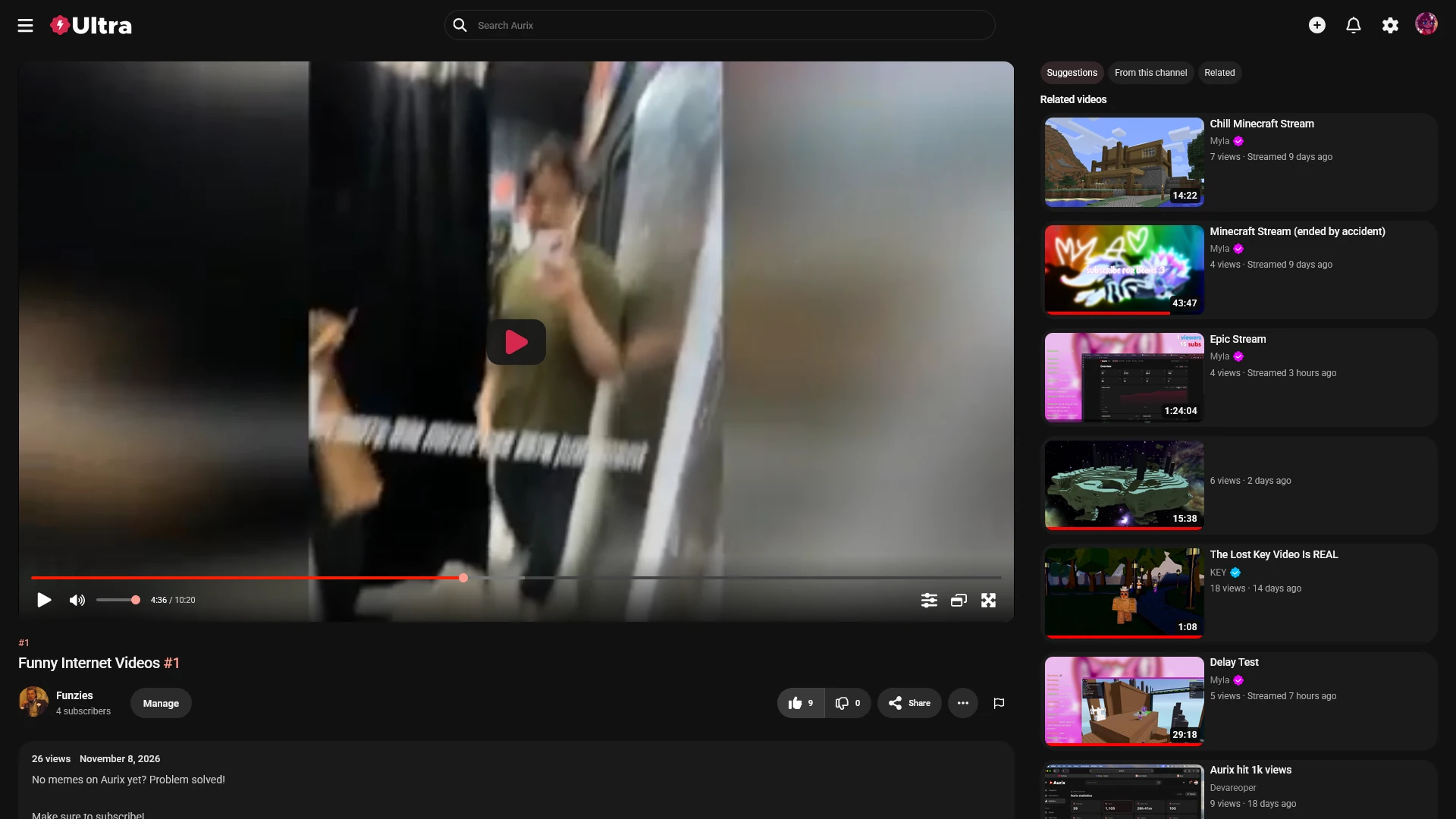
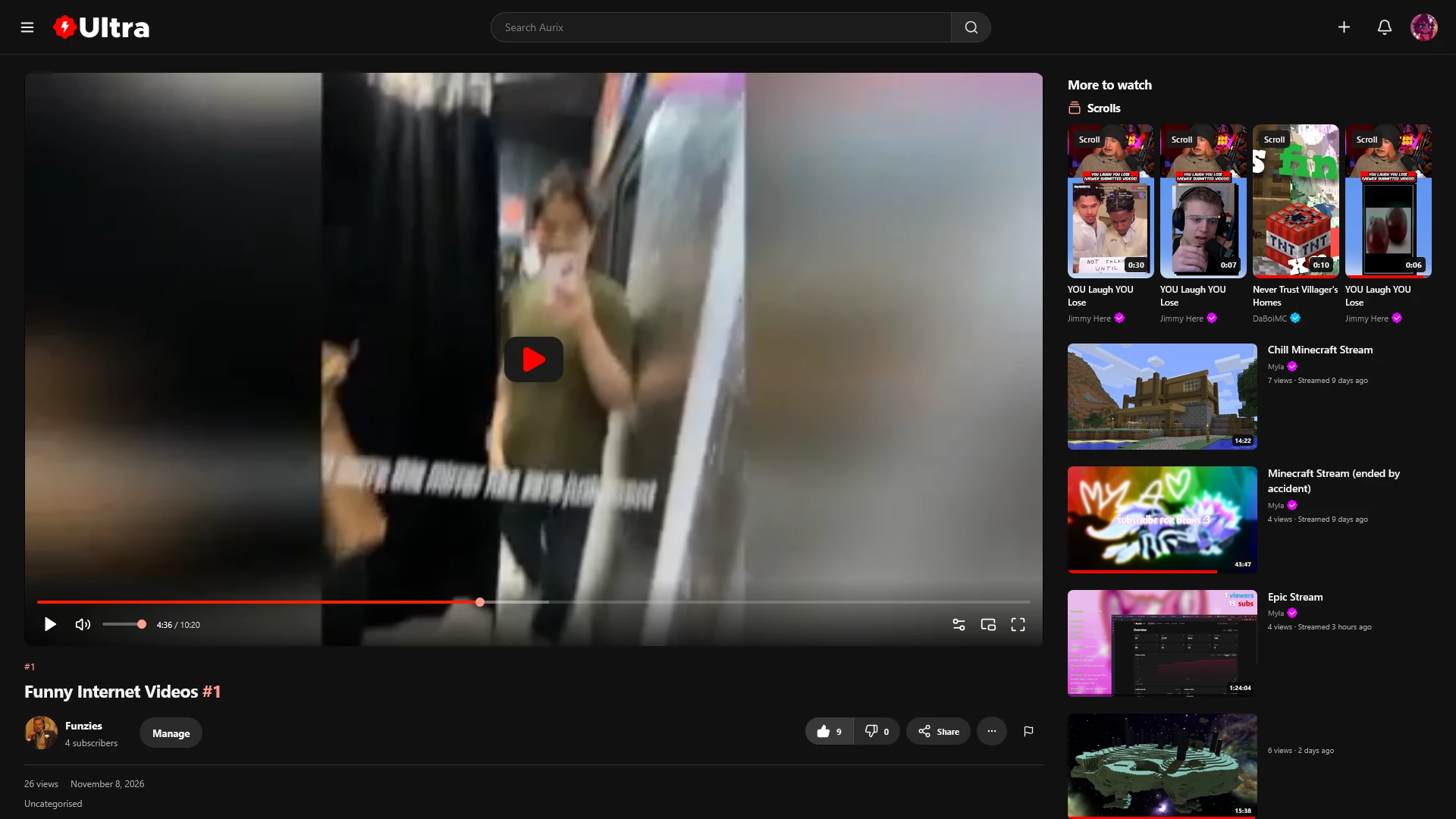
On a video page, most decisions happen in order. First you watch. Then you might check the creator, react, or choose what to play next. The main player and its controls keep their own space. The navigation for the rest of Aurix is available from the menu when you need it.
The clearest change in this comparison is on the right. Each suggested video has a thumbnail with its title alongside it. Following a single column makes it easier to scan titles and come back to one you noticed while the current video was playing.
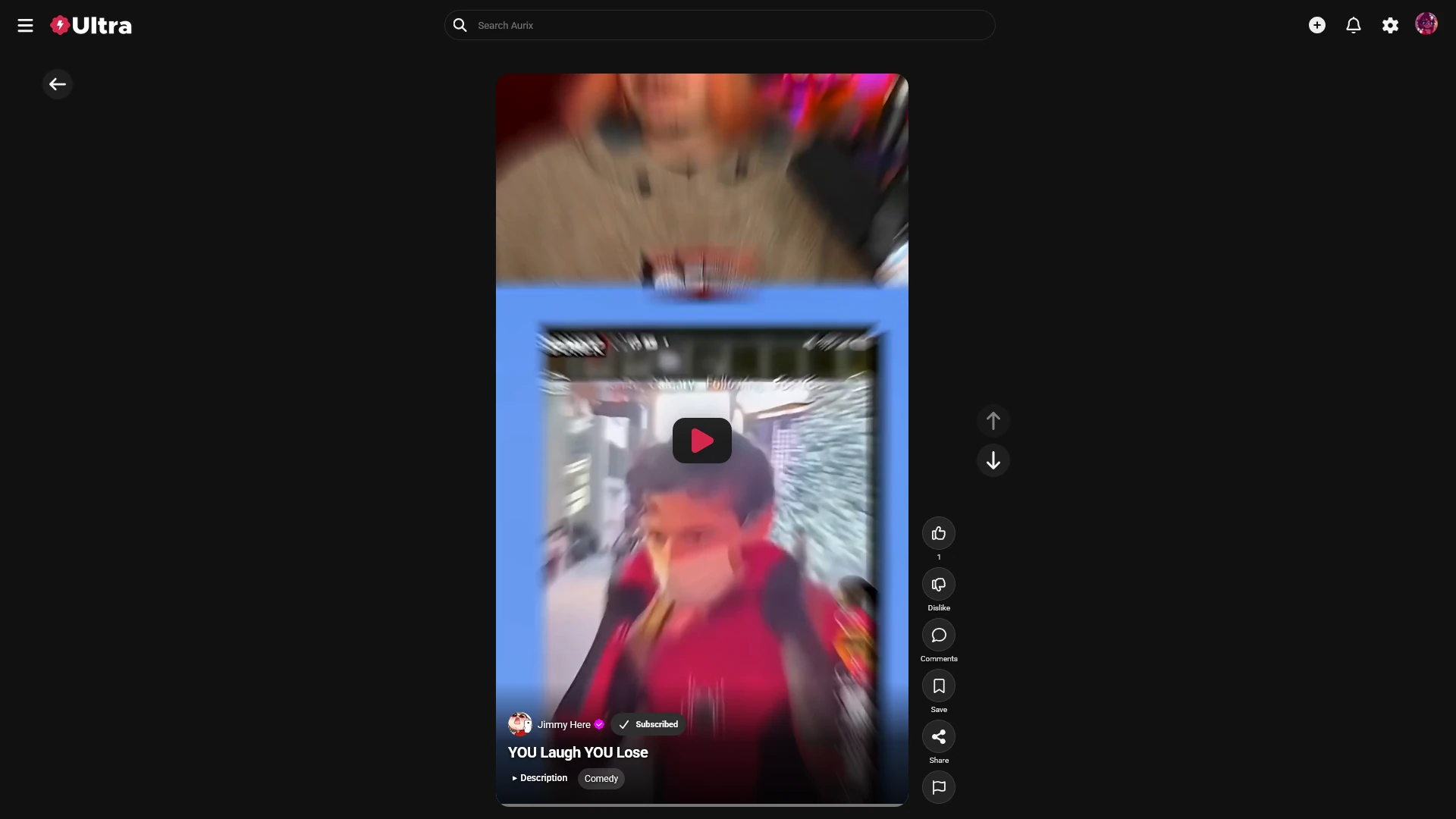
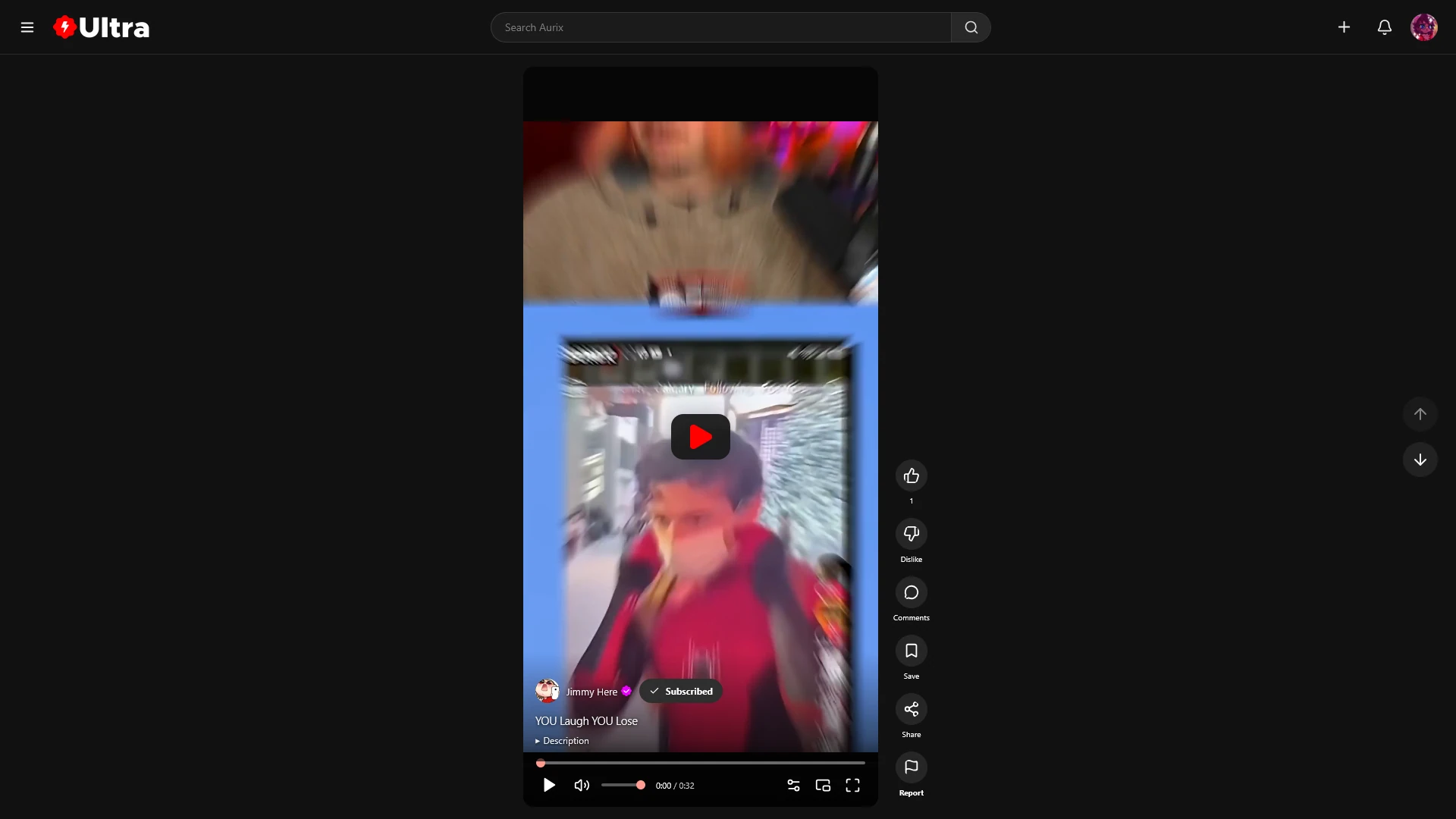
A Scroll is filmed for a tall frame. Stretching it across a landscape page would waste the shot, but crowding it with controls costs space too. Reborn keeps the frame in the centre and places the action buttons just beyond its edge. The creator and title stay with the video they describe.
Move the divider across the bottom of the two captures to see the difference. There is more room for the picture, and the controls for moving to another Scroll are distinct from the controls for reacting to this one.
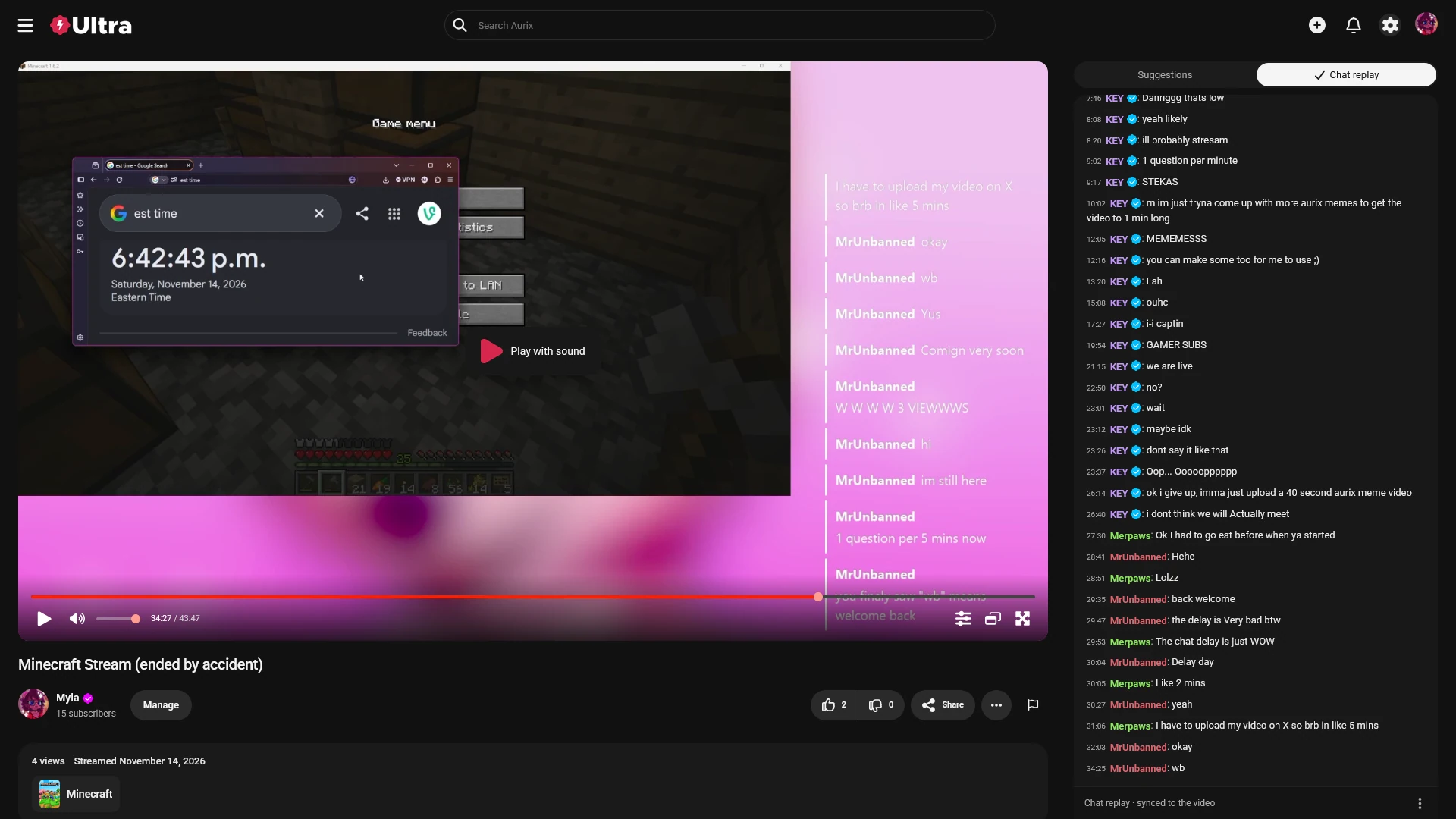
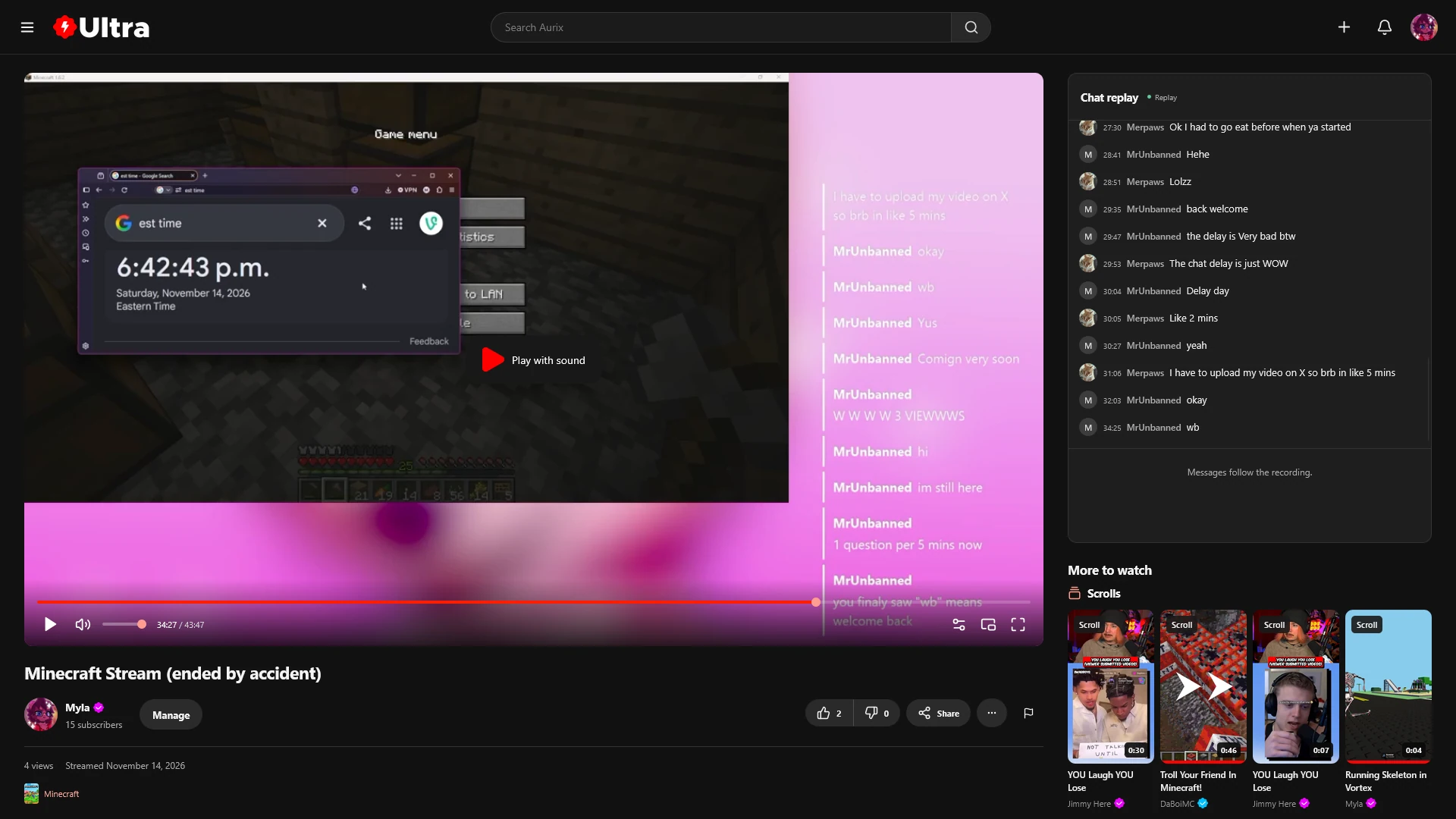
A comment on a video can wait until the end. A message in a live conversation often makes sense only at the moment someone sends it. Reborn gives chat a dedicated column alongside the broadcast, extending down the side of the page so more of the conversation is in view at once.
Both screenshots show the same replay. On the earlier page, suggestions begin below a short chat box. In Reborn, the right edge belongs to chat while it is open. You can follow who said what while keeping the picture beside the conversation.
One page introduces you to a creator. Another shows activity across the whole platform. Both bring the names, artwork and uploads behind the numbers closer to the surface.
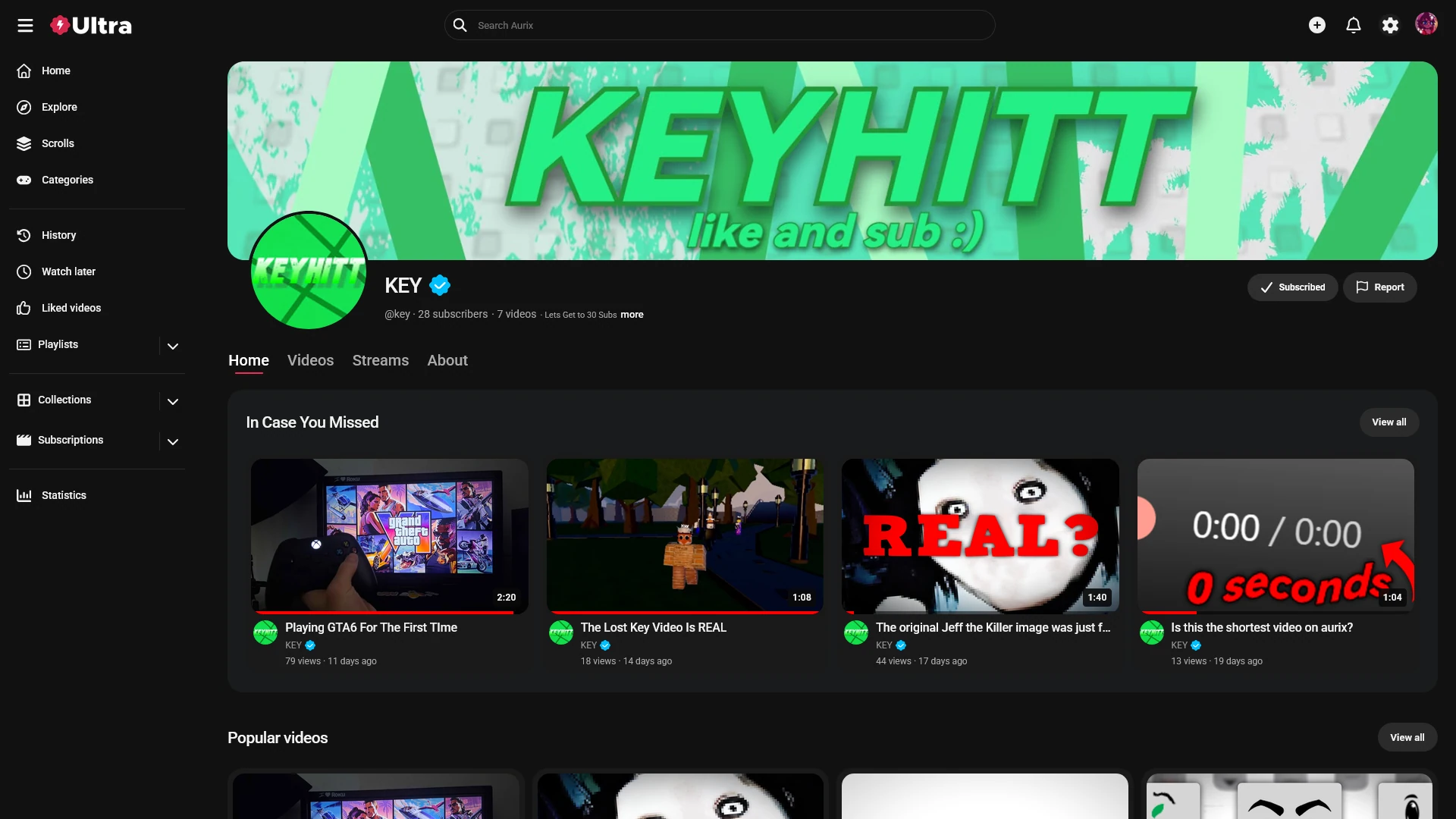
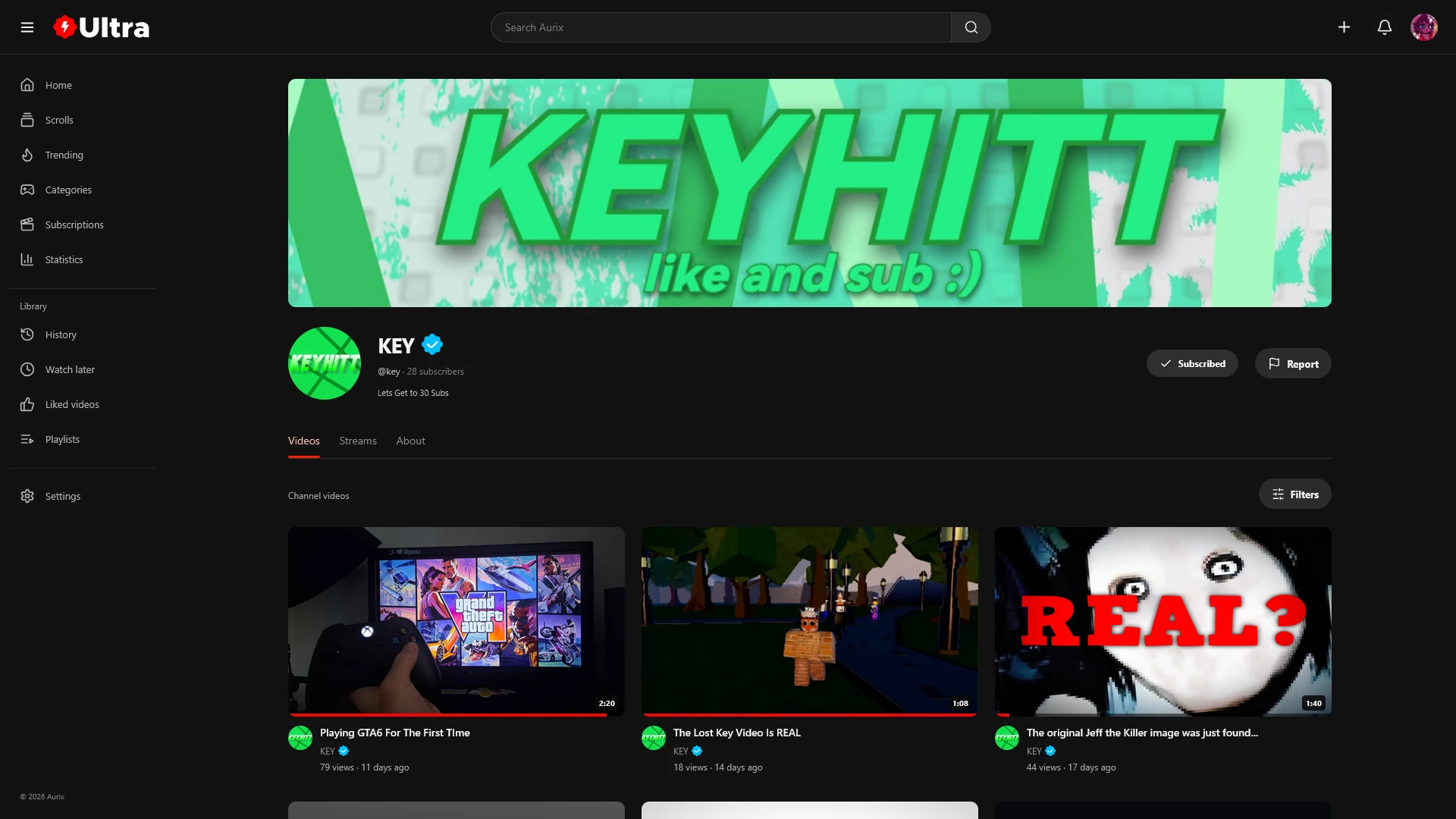
The channel banner and avatar are the parts a creator makes their own. In Reborn they anchor the top of the page, with the name and channel actions close by. Beneath them, Home offers a starting point for someone who arrived from a single video and wants to get to know the channel.
Recent and popular uploads give that visitor two different routes in. The format tabs lead to the kinds of content the creator has actually published. A channel with no streams can use that space for the things it does have to show.
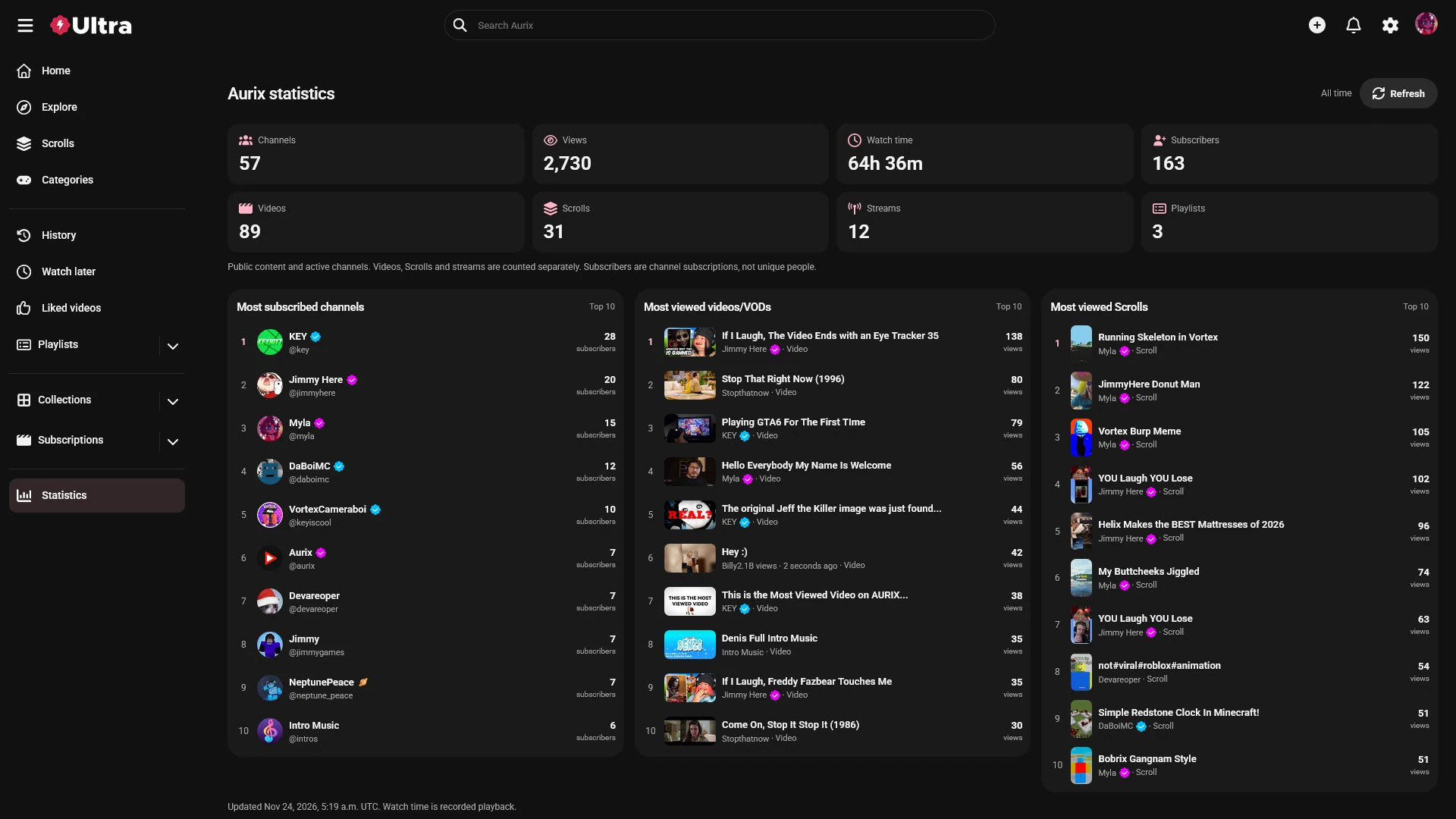
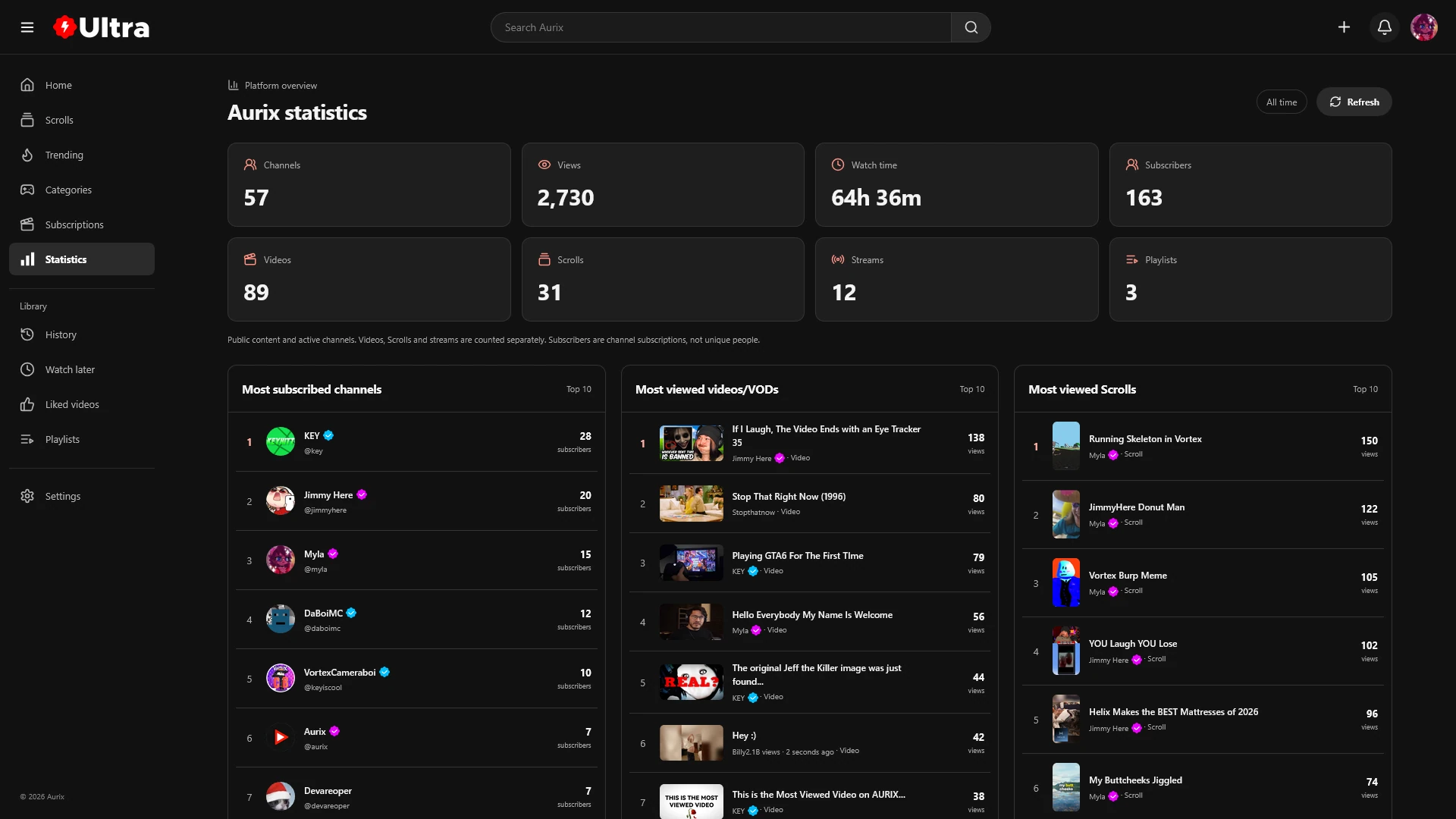
Public statistics give a different view of Aurix from the personal feed. Totals show the scale of the platform. The rankings underneath put channel names and individual uploads alongside those numbers. Tightening the space around each total brings more of both into the same screen.
Videos and stream replays share one ranking, while Scrolls have their own. You can look down a list of similar formats and follow an interesting title back to its creator. The numbers in these captures belong to the moment the screenshots were taken.
Reborn gives two familiar channel relationships different names. These are the words you’ll see on channel pages, in Studio and in streaming widgets.
| Earlier Aurix | Aurix Reborn |
|---|---|
| Subscribers | Followers |
| Members | Subscribers |
Following is the free way to keep up with a creator. If you used the old Subscribe button to keep track of a channel’s uploads, the Reborn name for that action is Follow. The channel’s follower count describes that audience.
A paid channel membership is now a subscription. Someone who joins a paid tier is a subscriber, subscriber-only content uses that tier for access, and gifting a membership is now called gifting a sub. This is channel support, separate from an Aurix Ultra subscription.
The screenshots show the design as it developed. A few still use the earlier names.
Studio has to work at two speeds. You might spend a quiet half hour reading analytics or have only a second to check stream health while you’re live. The new layouts keep related information together at both speeds.
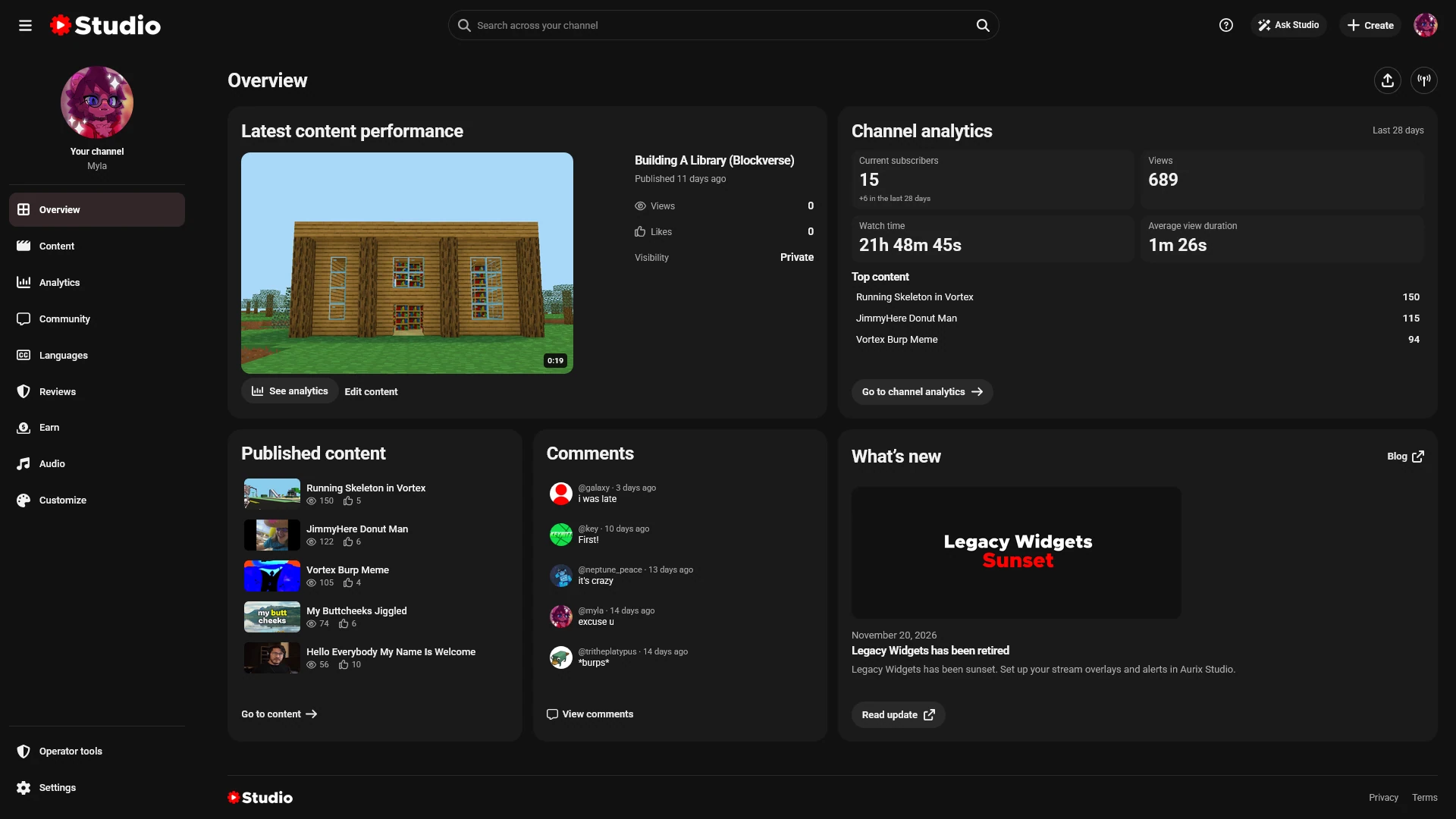
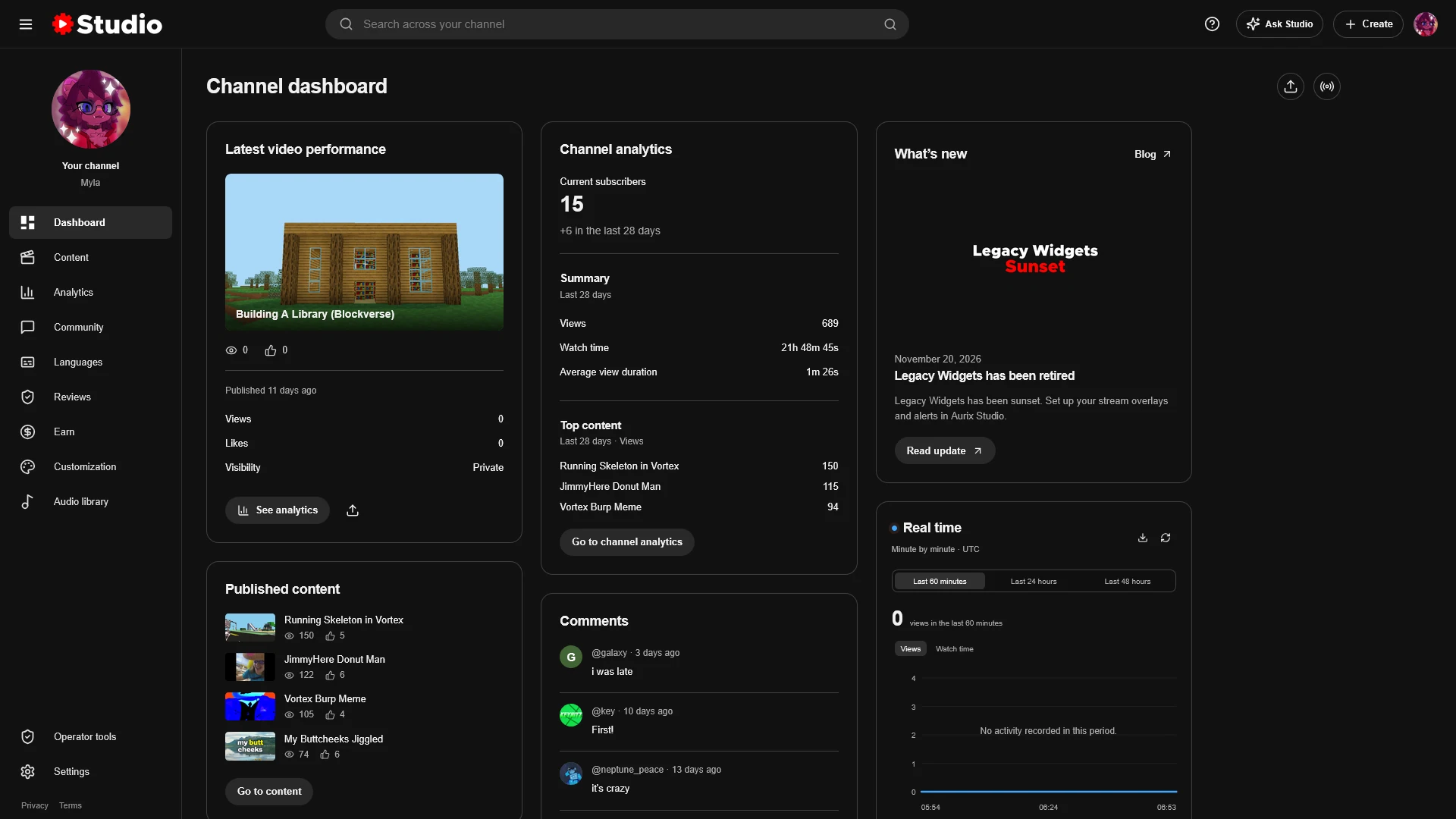
A creator opening Studio often has a particular upload in mind. Overview puts its thumbnail, title, performance and actions together. The channel summary sits beside it, so a creator can check how an individual release is doing and then look at the wider picture.
The lower row gives published content, recent comments and platform news their own places. In the old Dashboard, the tall performance and analytics panels pushed several of these items down the page. Compare the bottom edges of the screenshots to see how much of a routine channel check fits in one visit.
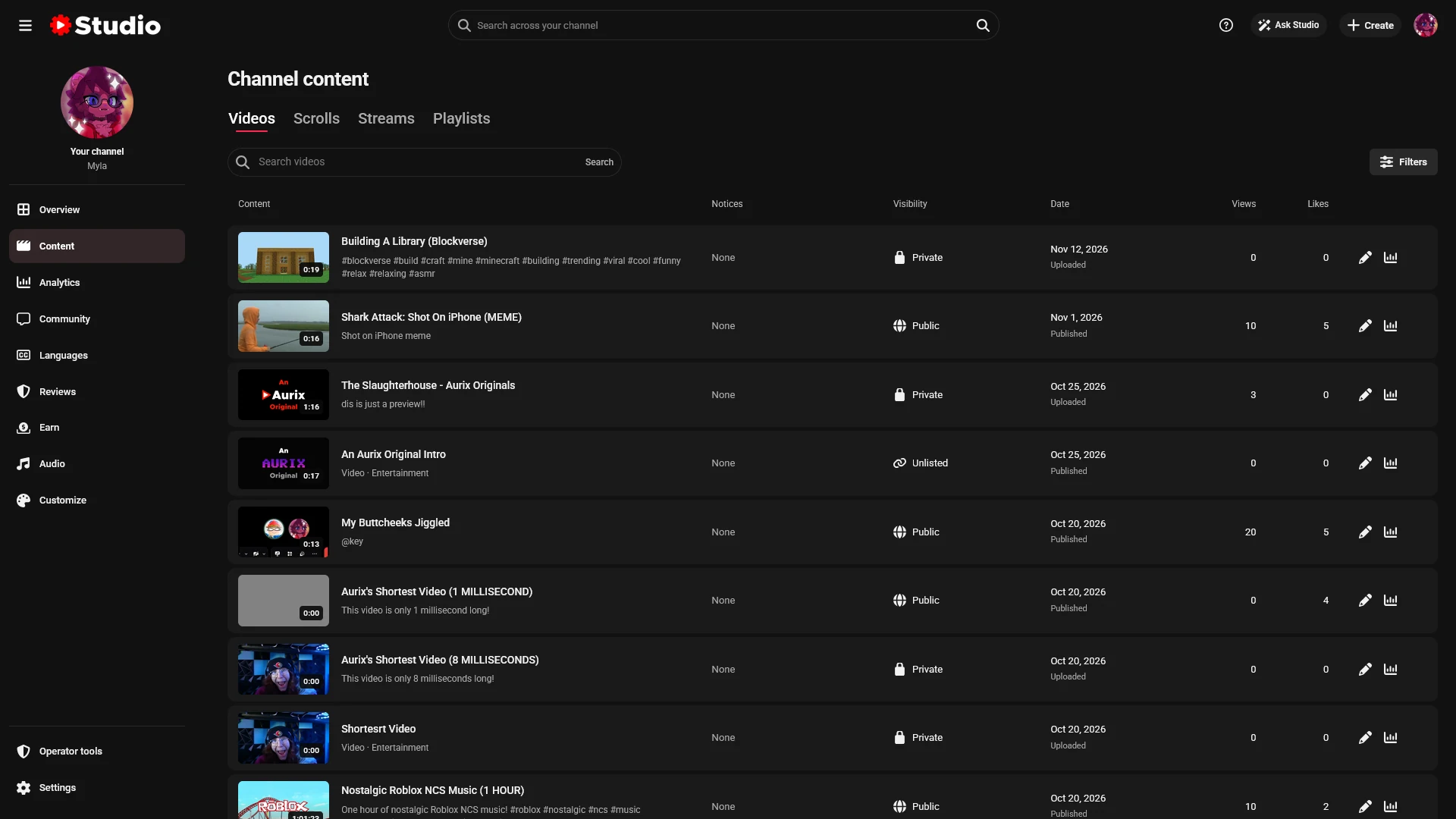
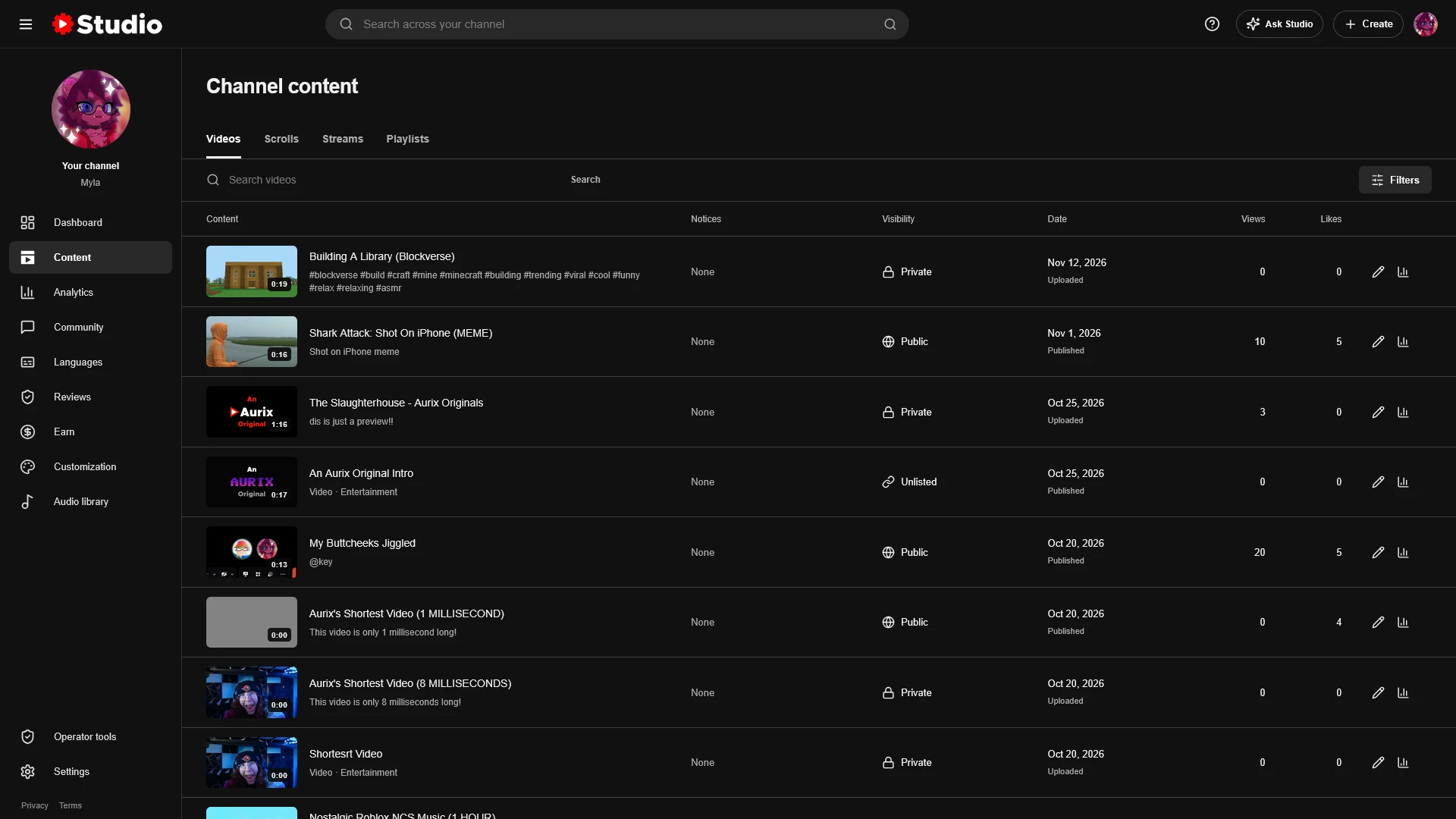
The thumbnail and title identify an upload. Visibility, date, views and likes answer different questions about it. Reborn keeps each field aligned across the list, using the row surface to hold one upload together. Your eye can follow a column to find a private upload or move across a row to inspect one title.
Videos, Scrolls, Streams and Playlists are grouped at the top of the workspace. Switching format keeps the familiar list structure, and the editing and analytics actions stay close to the upload they operate on.
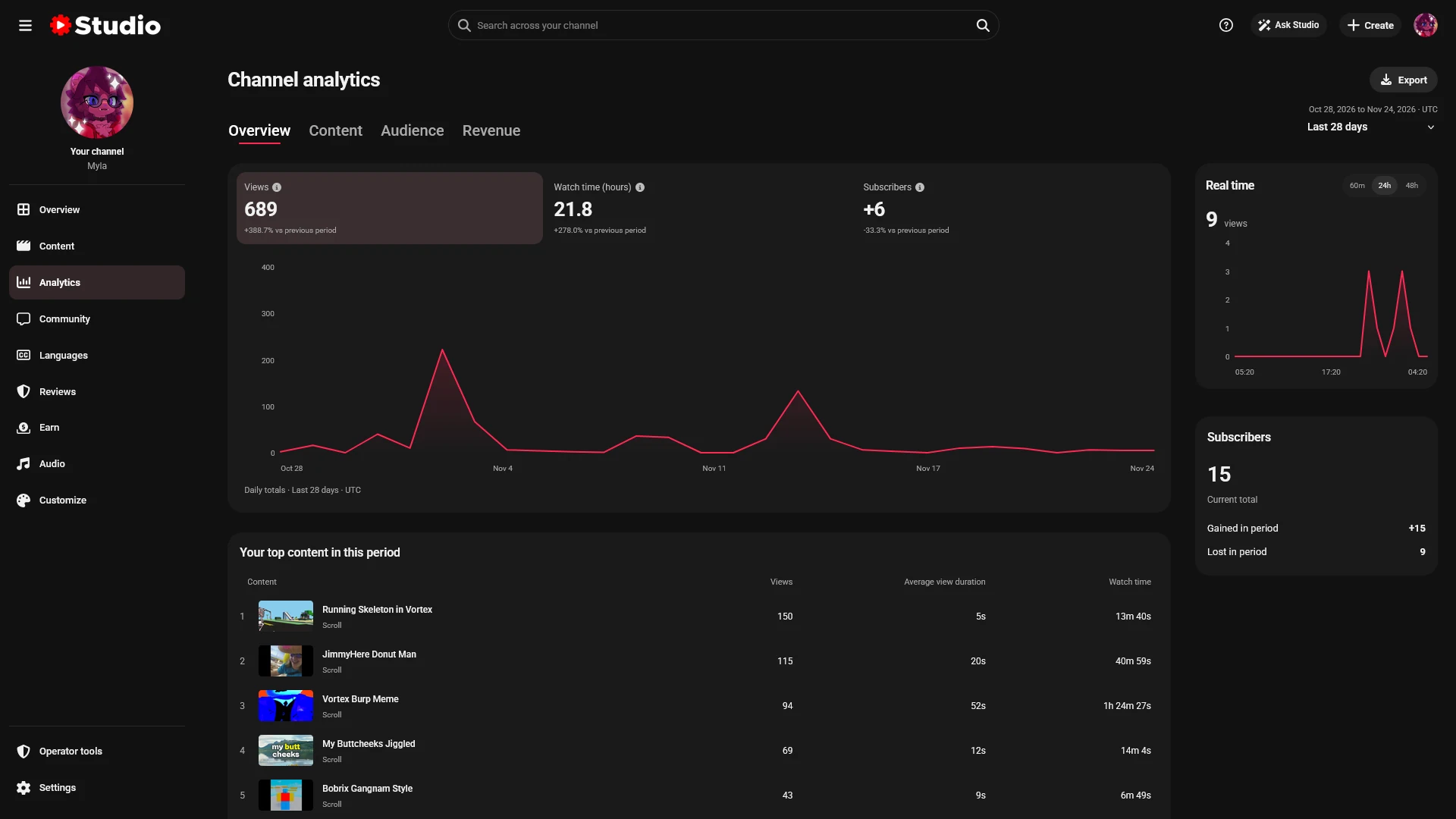
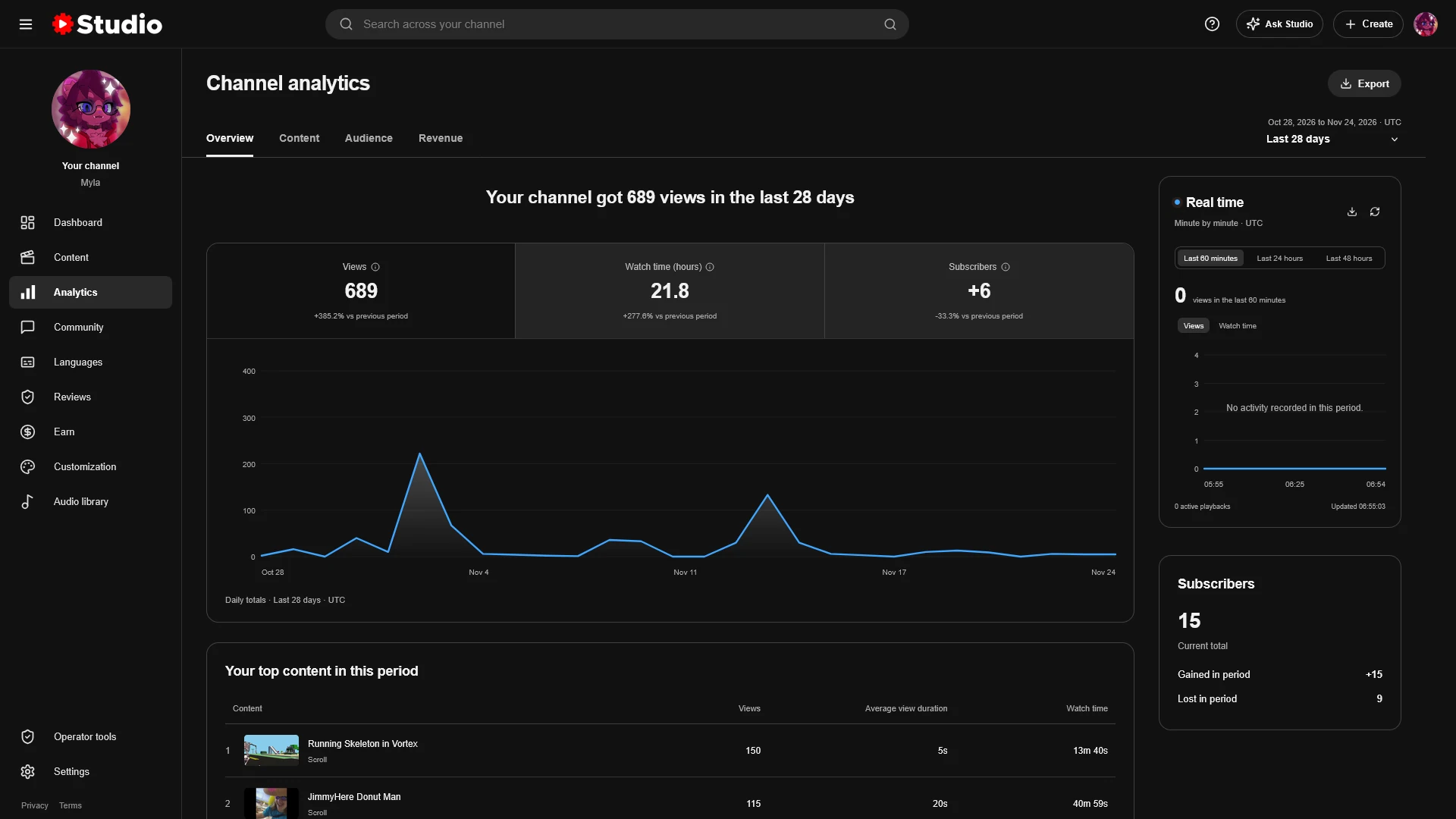
The earlier overview says the channel’s view total in a sentence and repeats the number in the first metric. Reborn puts the selected metric directly above its trend. The number answers how much, and the line beneath it shows when the activity happened.
Real time stays to the side so its short window is distinct from the longer period in the main chart. This makes it easier to look at a recent change, then return to the period and top-content list without losing the context for the numbers.
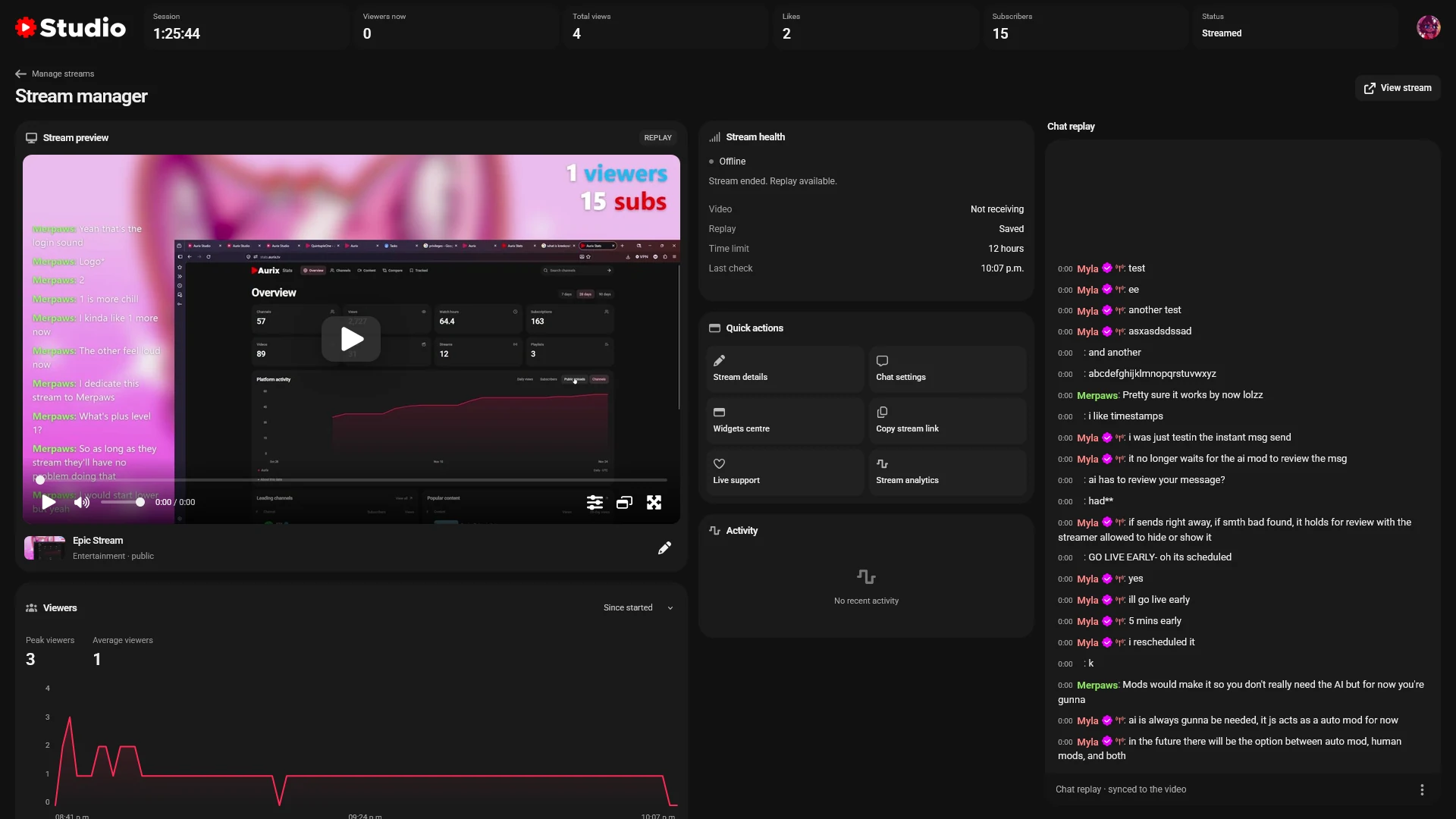
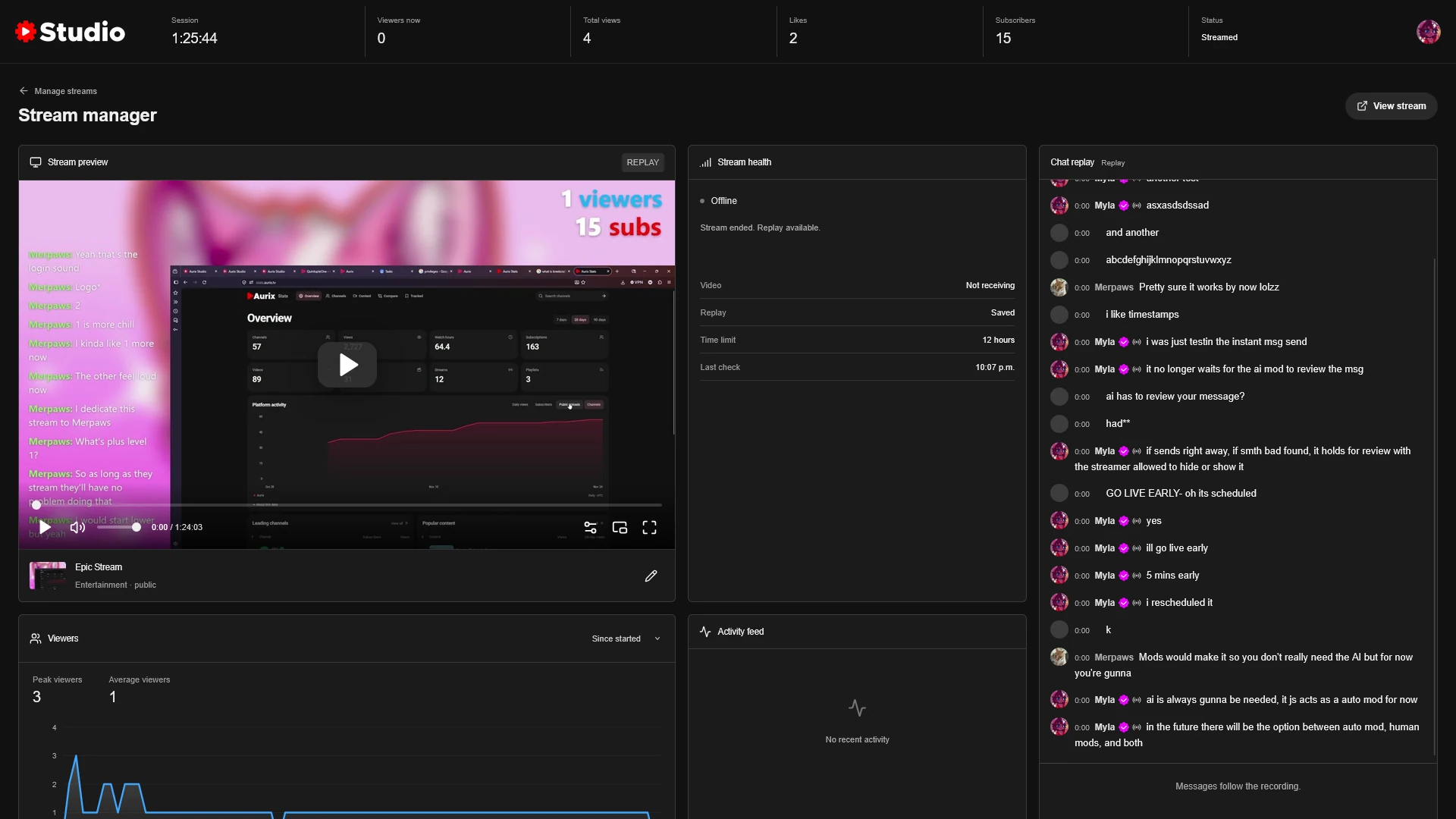
During a broadcast, a creator might glance at stream health, answer a viewer and check the preview within a few seconds. The redesign groups those jobs around the picture. Quick actions have a visible place of their own, and the chat column gives names and messages a consistent line to read.
The screenshots show the same broadcast after it ended. Its replay, status and viewer history still make sense together. That continuity is useful when you are looking back at a moment you remember from chat and want to see what was happening on the stream.
A viewer arriving halfway through a stream sees only what is on screen at that moment. These additions let a creator show who is here, how their channel is growing, and when someone has just supported it.
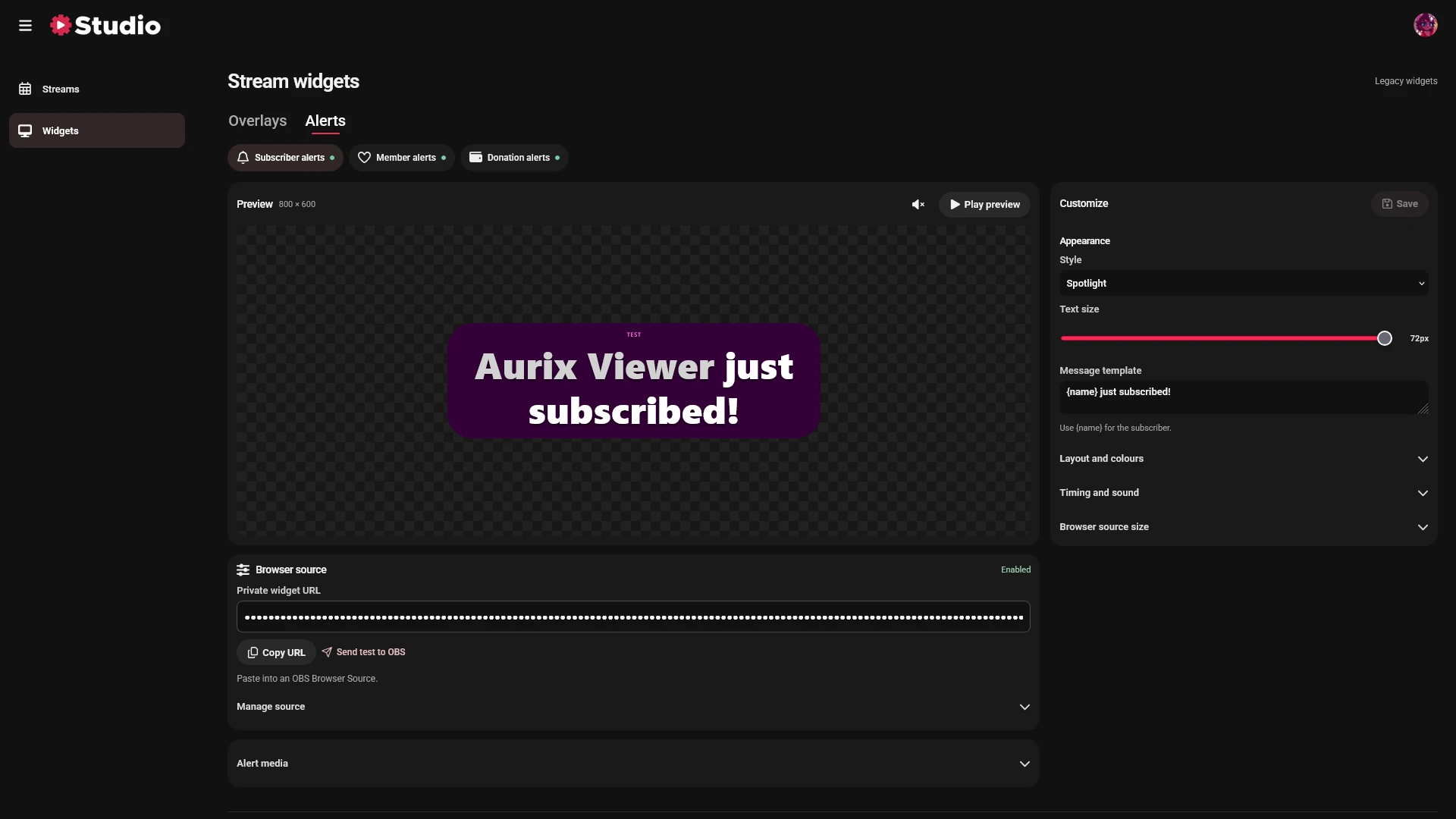
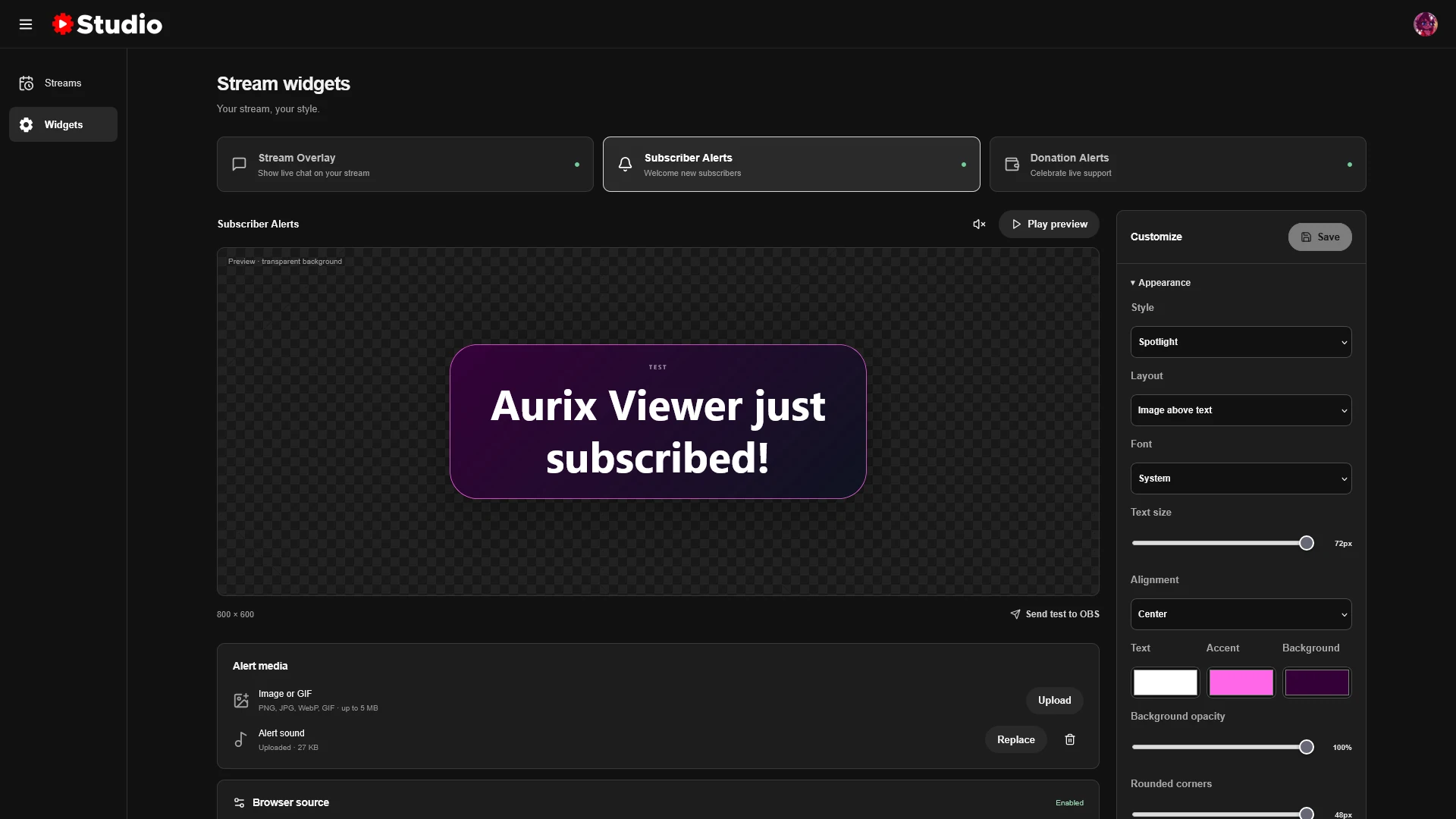
The old editor put all three widget choices across the top. The new editor groups the collection into Overlays and Alerts. A count can stay on screen throughout a broadcast, while an alert appears for an event. Those two jobs now have distinct places in the editor.
The transparent preview shows how text, colour and alert styling will sit over a scene. Creators can play a sample, adjust the appearance and use the widget’s browser-source URL in their streaming software. The sample in the screenshot lets you inspect the layout without waiting for a real viewer event.
A design tour shows where things moved. The Help Center is where you can look up the steps for a particular job. Search for a task or browse articles about watching, accounts and channels, publishing, live streaming, earning and safety.
For example, a creator setting up an overlay can look up how to add its URL as a browser source. A viewer trying to get back to a channel can start with the account and channel guides. Each can go directly to the instructions they need.
Reborn also makes room for features we want to build next. These are plans for upcoming work. The comparisons above show the redesign as it exists today.